
TikTok Creative Center: How to Find Top Ads, Trends & Save Winning Creatives (2026)
TikTok Creative Center is one of the best places to spot what’s working on TikTok—fast. You can browse top-performing ads, discover trends (hashtags, songs, creators), and collect inspiration across regions and verticals.
But if you’re doing performance creative, browsing isn’t the hard part.
The hard part is building a system:
- saving the full creative (video + copy + landing page context),
- organizing it so you can find it again,
- and turning insights into new scripts and tests.
This guide shows you:
- how to use TikTok Creative Center efficiently, and
- how to turn research into output with Adlude (save → organize → analyze → script).
Key takeaways
- Use Top Ads to find real “winner patterns” (hooks, formats, offers) instead of random viral clips.
- Use Trend Discovery to understand what viewers are primed to watch (audio, hashtags, creators).
- Don’t save TikTok inspiration as scattered bookmarks—store it in a searchable swipe file.
- Speed comes from workflow: discover → save → tag → breakdown → script.
- The best TikTok research outcome is not “inspiration”—it’s testable hypotheses.
What is TikTok Creative Center (and what it can’t do)?
TikTok Creative Center is a public set of creative resources for discovering trends, ad examples, and best practices—so advertisers and creators can build more effective TikTok ads.
What it’s good for:
- Finding top-performing auction ads (Top Ads) by region/objective/format.
- Seeing trend signals (hashtags, songs, creators, TikTok videos) that shape attention.
- Getting inspiration for formats, pacing, captions, and hook styles.
What it won’t do well:
- Permanent saving & organization across your whole team.
- Cross-platform comparison (TikTok vs Meta vs Shorts vs LinkedIn).
- Structured reuse (breakdowns, briefs, scripts, storyboards) out of the box.
That’s why performance teams pair it with a workflow tool.
Step-by-step: Find top-performing TikTok ads
Goal: collect a set of ads you can analyze for repeatable patterns.
Step 1) Open Top Ads and set the right filters
In Creative Center, go to Top Ads and filter by:
- Region (where your audience is)
- Objective (if available)
- Ad format / duration / language (as needed)
- Time window (e.g., last 7/30 days)
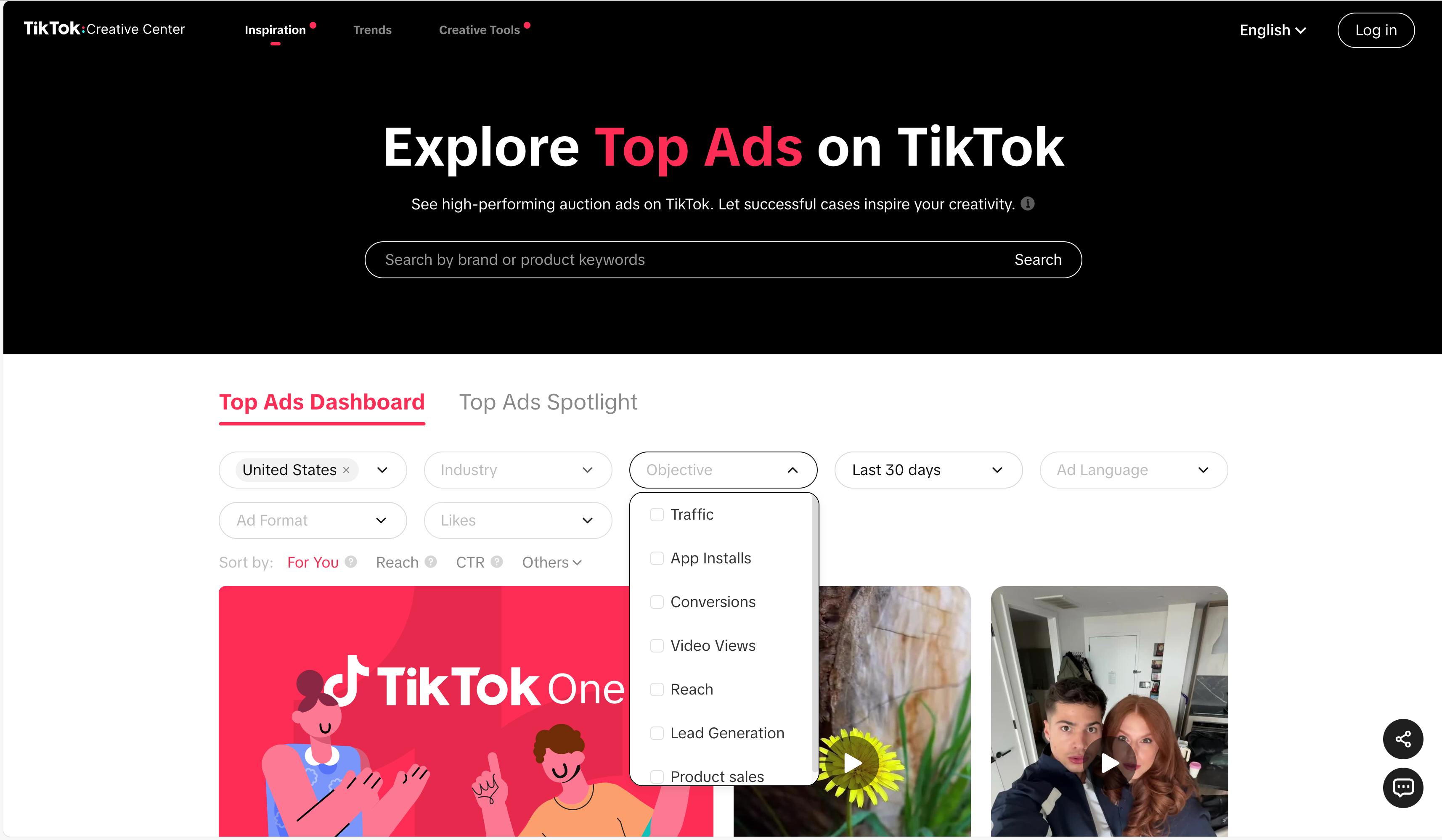
Pro tip: Start broad (region + industry) before you go hyper-specific. You’ll see patterns faster.
Step 2) Save 10–20 ads that match your funnel goal
Don’t try to save everything. Save ads that match the test you’re planning:
- Acquisition test (TOF): strong hook + simple promise
- Consideration (MOF): proof-heavy demos, comparisons, testimonials
- Conversion (BOF): offer clarity, urgency, guarantee, deal framing
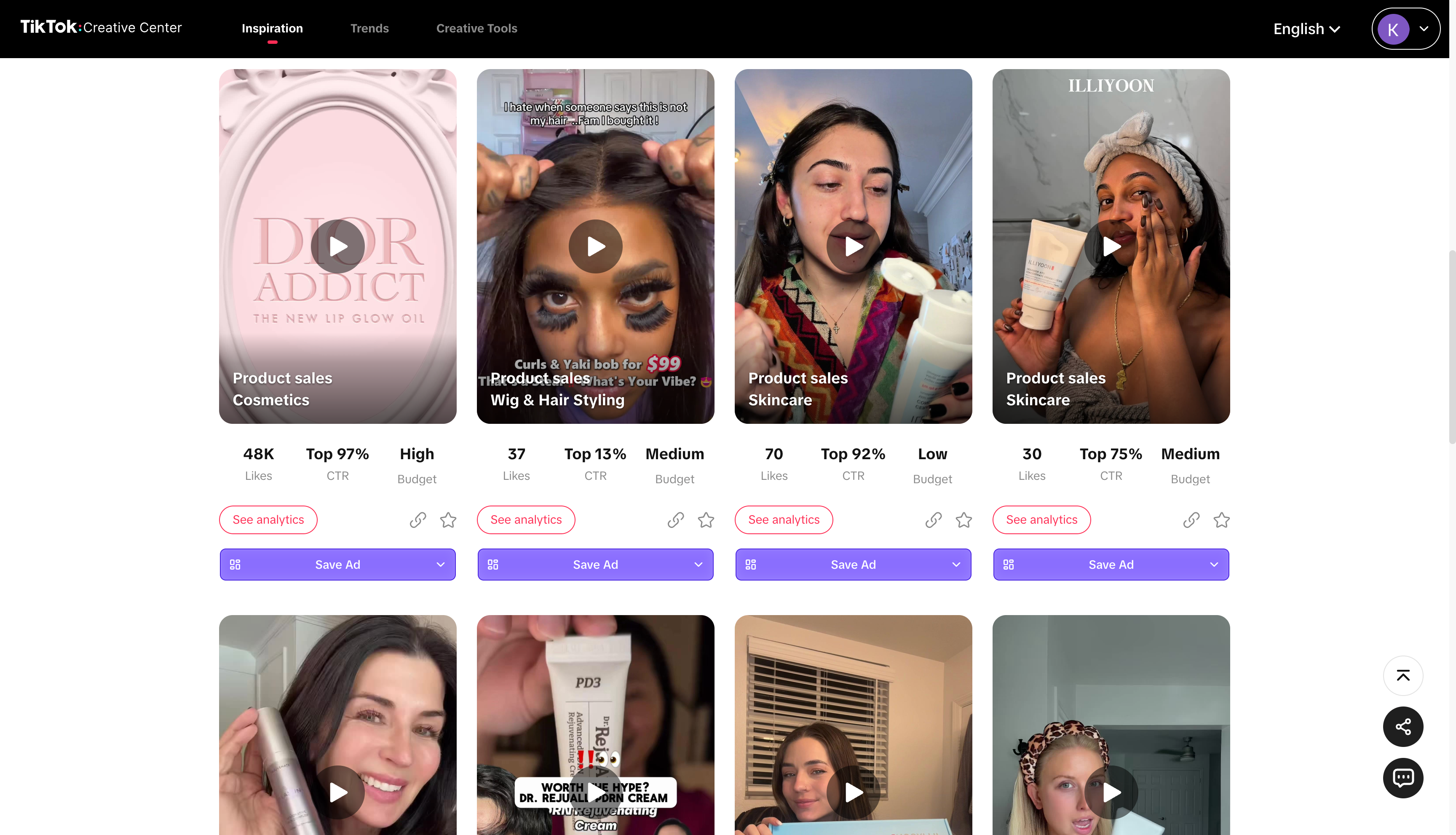
Step 3) Extract repeatable elements (not “cool edits”)
For each ad, capture:
- Hook type (pattern break, curiosity, pain-first, benefit-first)
- Format (UGC talking head, montage, demo, before/after)
- On-screen text strategy (subtitle density, big claims, keywords)
- Audio choice (trend audio vs original voiceover)
- Offer structure (trial, bundle, discount, guarantee)
- CTA behavior (direct, soft, curiosity)
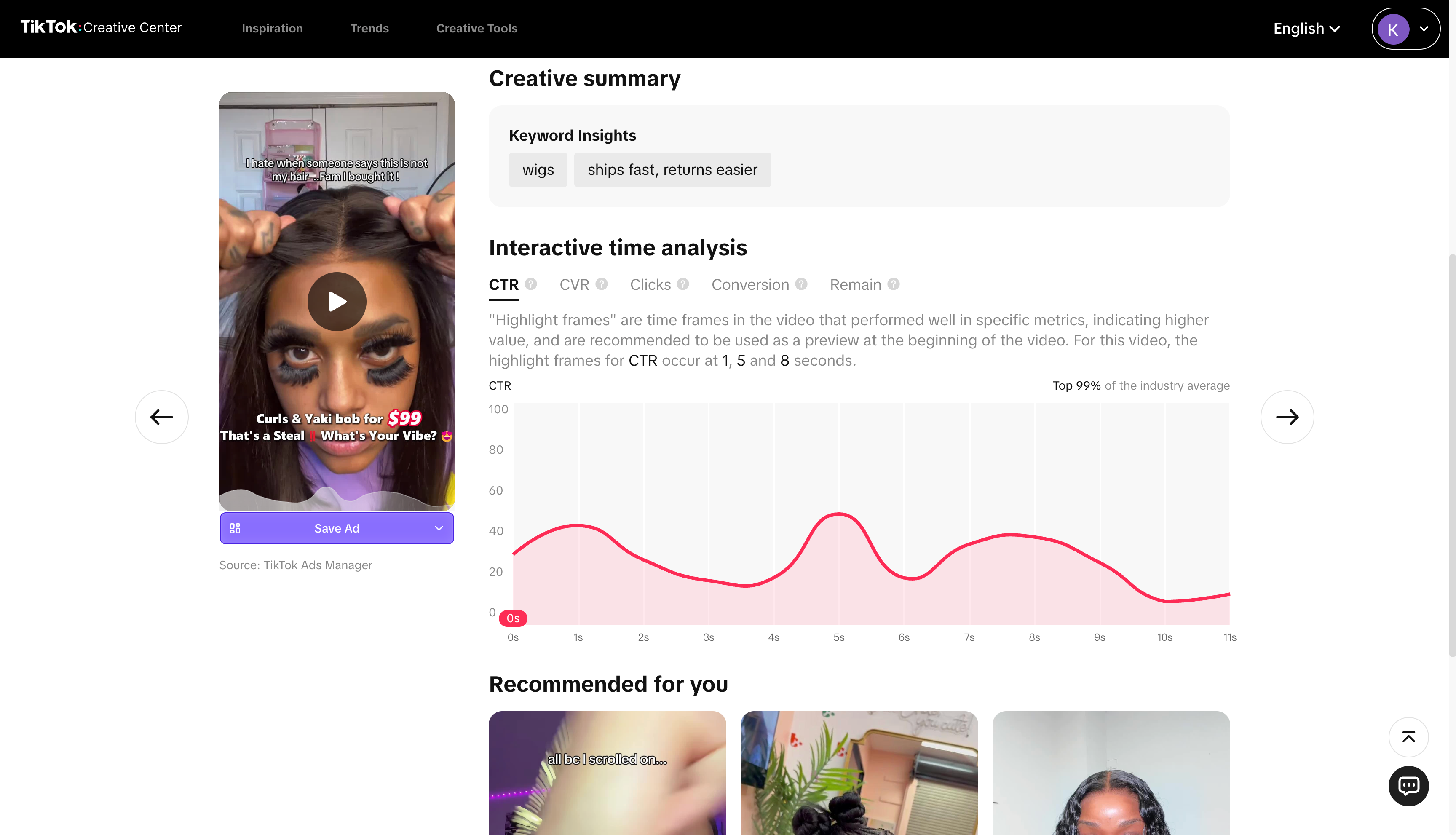
Step 4) Compare ads by “concept,” not by individual video
On TikTok, winners are often concepts that spawn variants:
- same concept → new hook
- same hook → new proof
- same proof → new offer
You’re not hunting “the one ad.” You’re hunting the repeatable system.
Step-by-step: Use Trend Discovery for creative angles
Trend Discovery helps you understand what viewers are already engaging with—so your creative can “enter the stream” instead of fighting it.
Step 1) Check what’s trending in your region
Look at:
- Hashtags
- Songs
- Creators
- TikTok videos
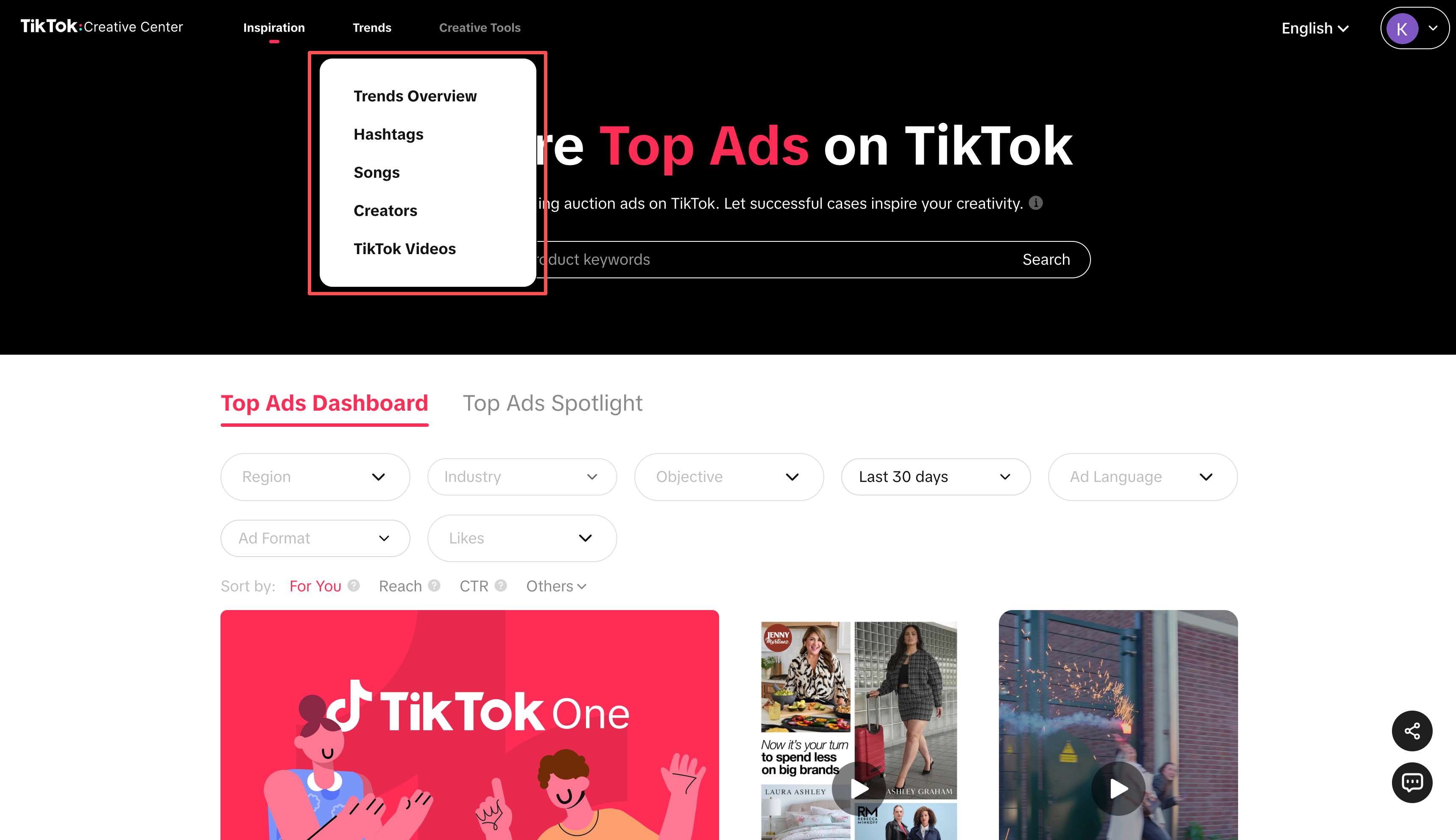
Step 2) Translate trends into ad angles
A trend is not an angle. But it can support an angle.
Examples:
- A trending “routine” format → angle: convenience, habit-building
- A trending “before/after” style → angle: transformation, proof
- A trending creator archetype → angle: authority or relatable UGC
Step 3) Build a “hook bank” from trend-native patterns
Create a running list:
- 10 opening lines
- 10 on-screen text patterns
- 10 pacing structures (cut frequency, scene types)
This becomes your category’s reusable advantage.
A practical TikTok ad breakdown checklist
Use this to turn “inspiration” into a test plan:
- Audience: who is this for?
- Hook: what wins the first 1–2 seconds?
- Promise: what outcome is implied?
- Mechanism: why should I believe it?
- Proof: what evidence is shown (UGC, demo, stats)?
- Structure: how does it progress (problem → solution → proof → offer)?
- Offer: what are the terms (trial, discount, bundle, guarantee)?
- CTA: what action is asked?
Advanced tips: find strategy, not noise
Tip 1) Watch for “creative lifecycle”
New uploads don’t mean wins. Repeated concepts over time often do.
Tip 2) Separate “trend usage” from “performance usage”
Some ads use trends to look native. The best ads use trends to carry a clear conversion promise.
Tip 3) Collect landing page intent (even on TikTok)
TikTok ads can feel entertainment-first, but conversion still happens somewhere:
- product page
- quiz
- landing page
- app store Capture that context.
Common problems and fixes
“I can’t find enough relevant ads in my niche”
Start with adjacent verticals and copy the structure (hook + pacing + proof), then adapt the claims.
“I saved a bunch of TikTok ads but I can’t find them later”
That’s a system problem. Use a searchable swipe file with tags and folders.
“My team keeps repeating the same research”
Turn research into a shared library + weekly digest + test backlog so you don’t redo work.
Use Adlude to do it faster
Here’s the workflow that turns TikTok browsing into repeatable output:
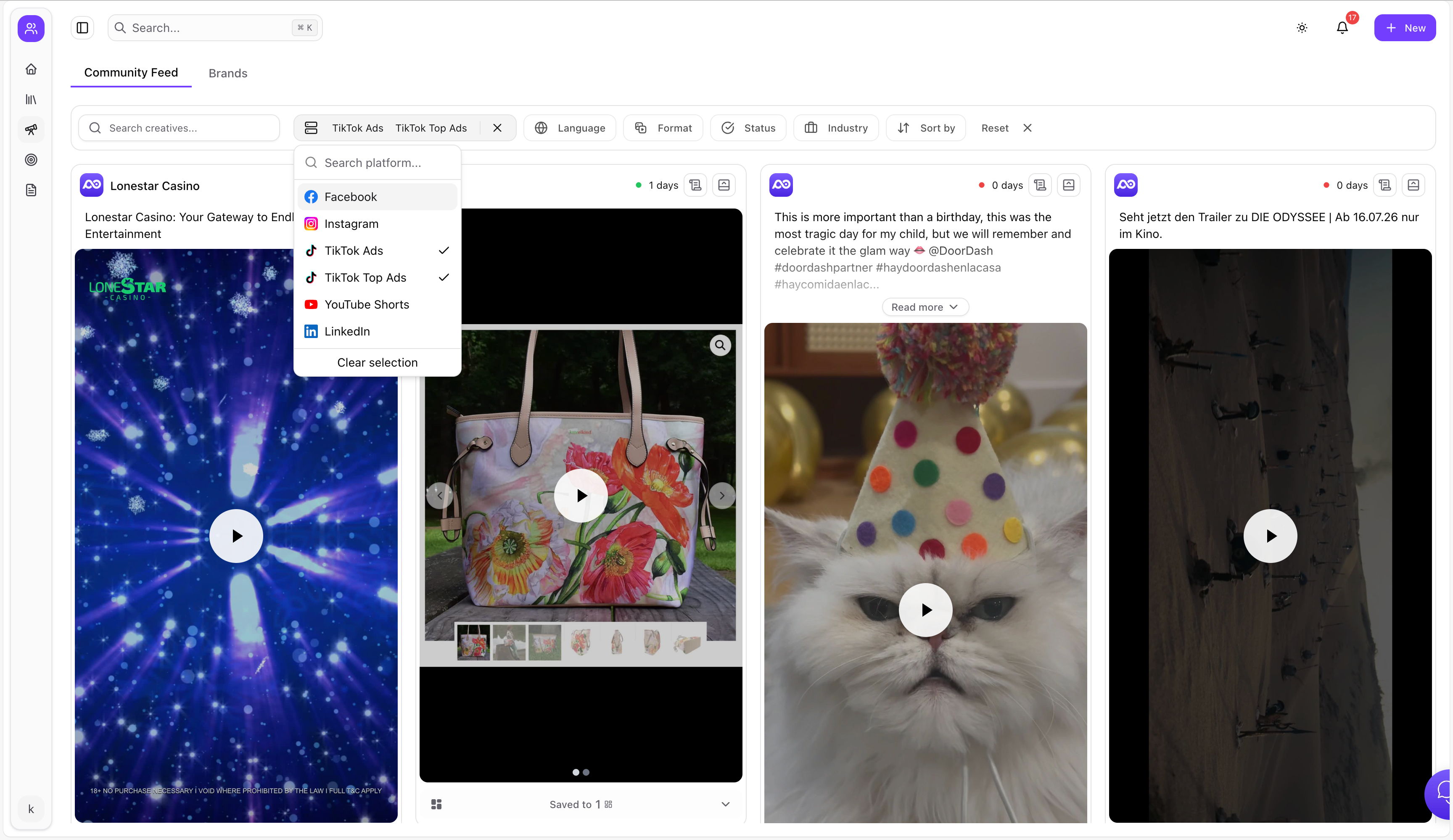
1) Discover cross-platform winners (not just TikTok)
Use Adlude Discovery to browse ads from TikTok, Facebook, YouTube Shorts, LinkedIn and more—then filter by keyword, platform, language, format, and industry. It supports AI scoring and video transcription so you can extract hooks faster.
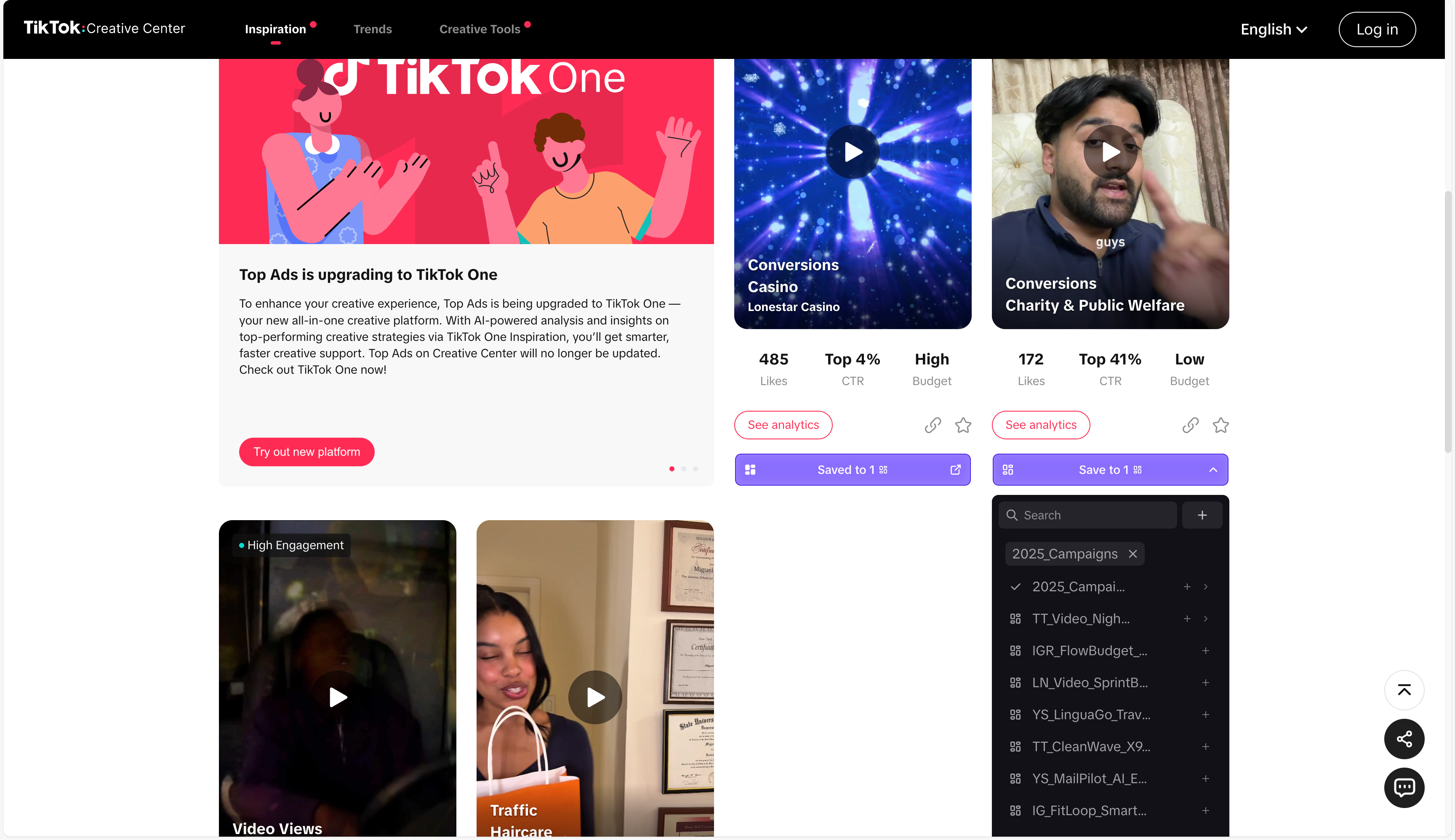
2) Save TikTok ads with one click (creative + copy + URL)
Use Adlude Ad Saver (Chrome/Edge) to save creatives from multiple platforms with one click—stored permanently in the cloud.
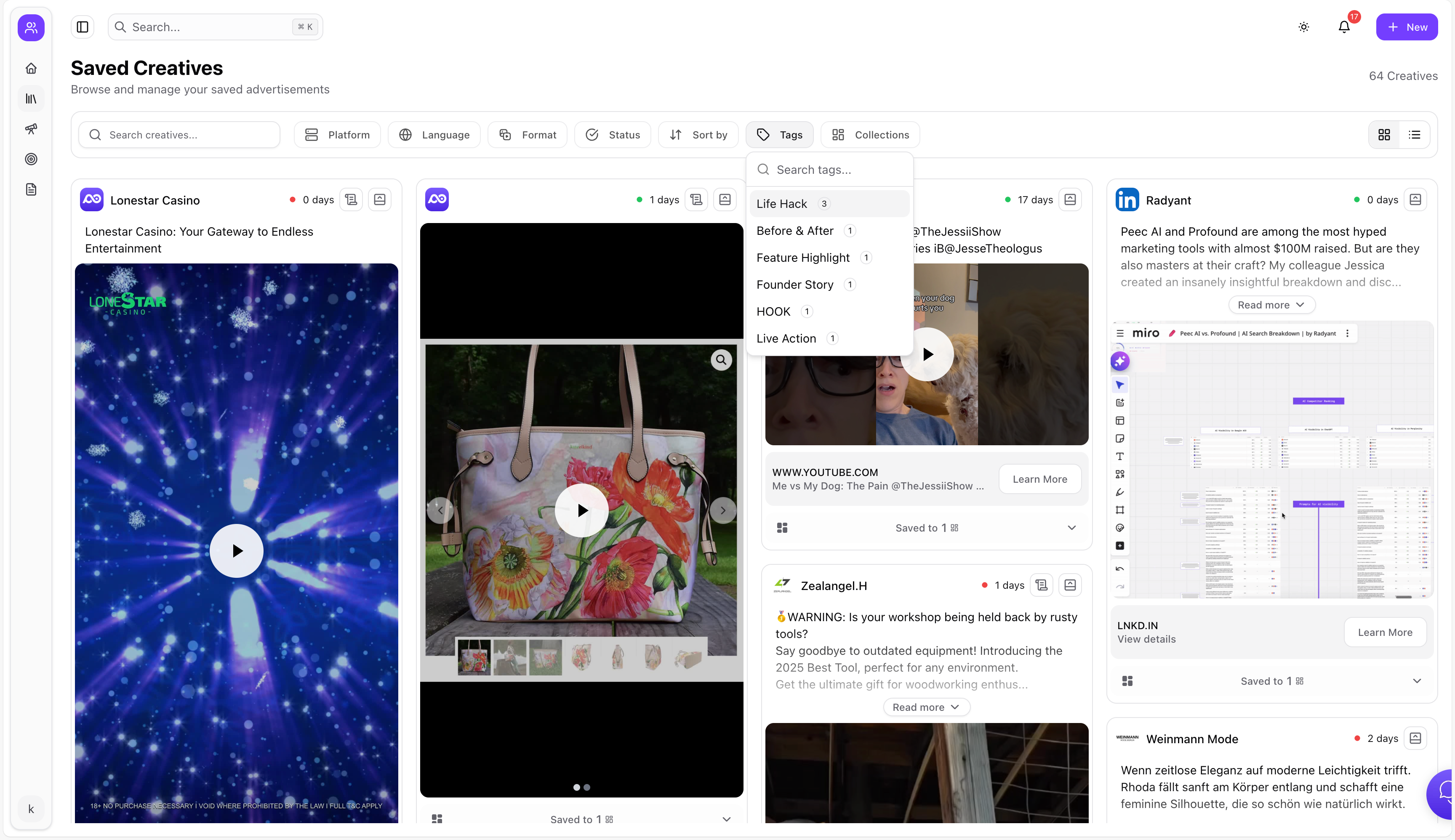
3) Organize TikTok inspiration into a swipe file you’ll reuse
In Adlude Swipe File, you can search saved ads by keyword, organize with nested folders, add smart tags, and run AI breakdown inside your library.
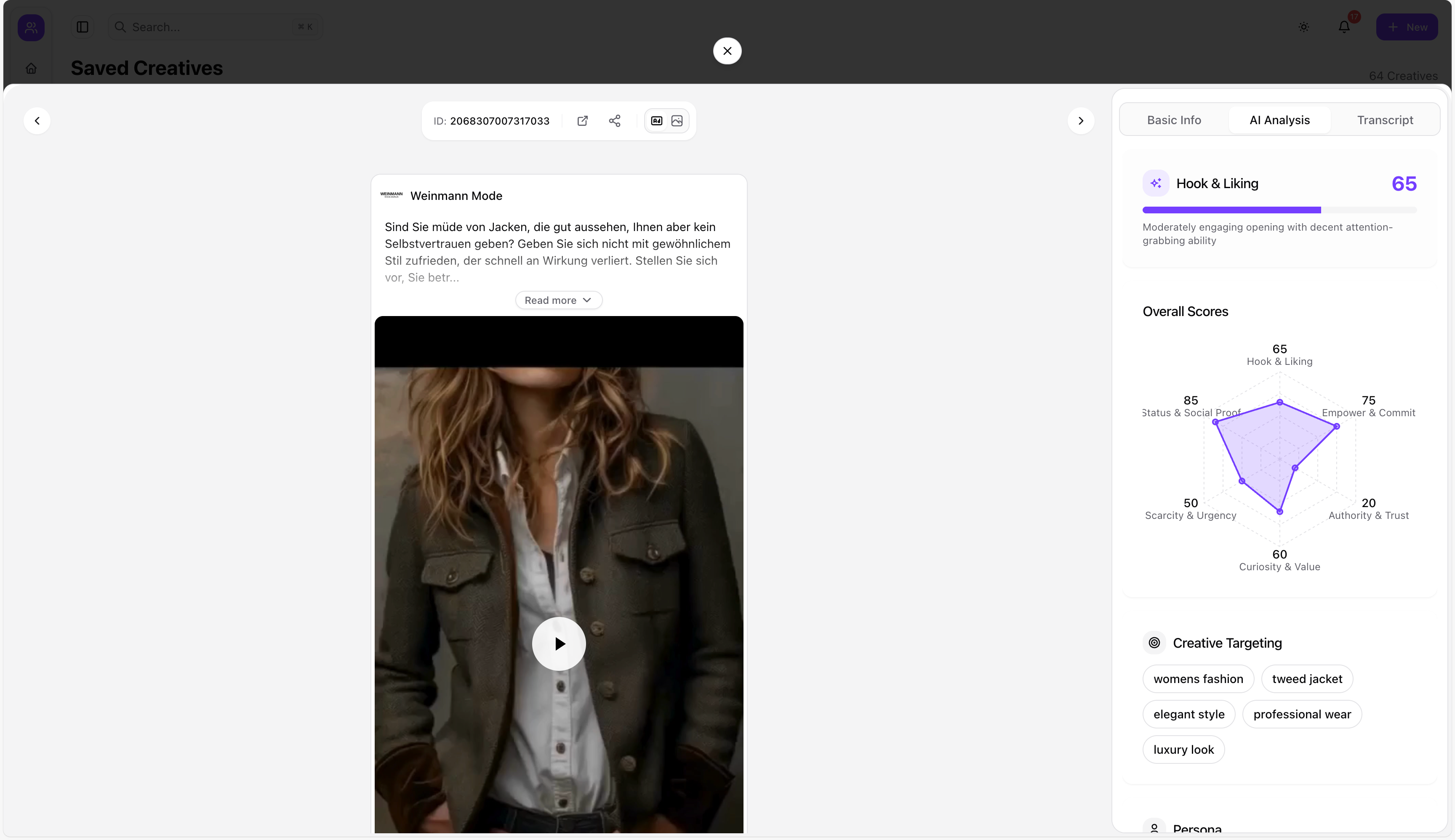
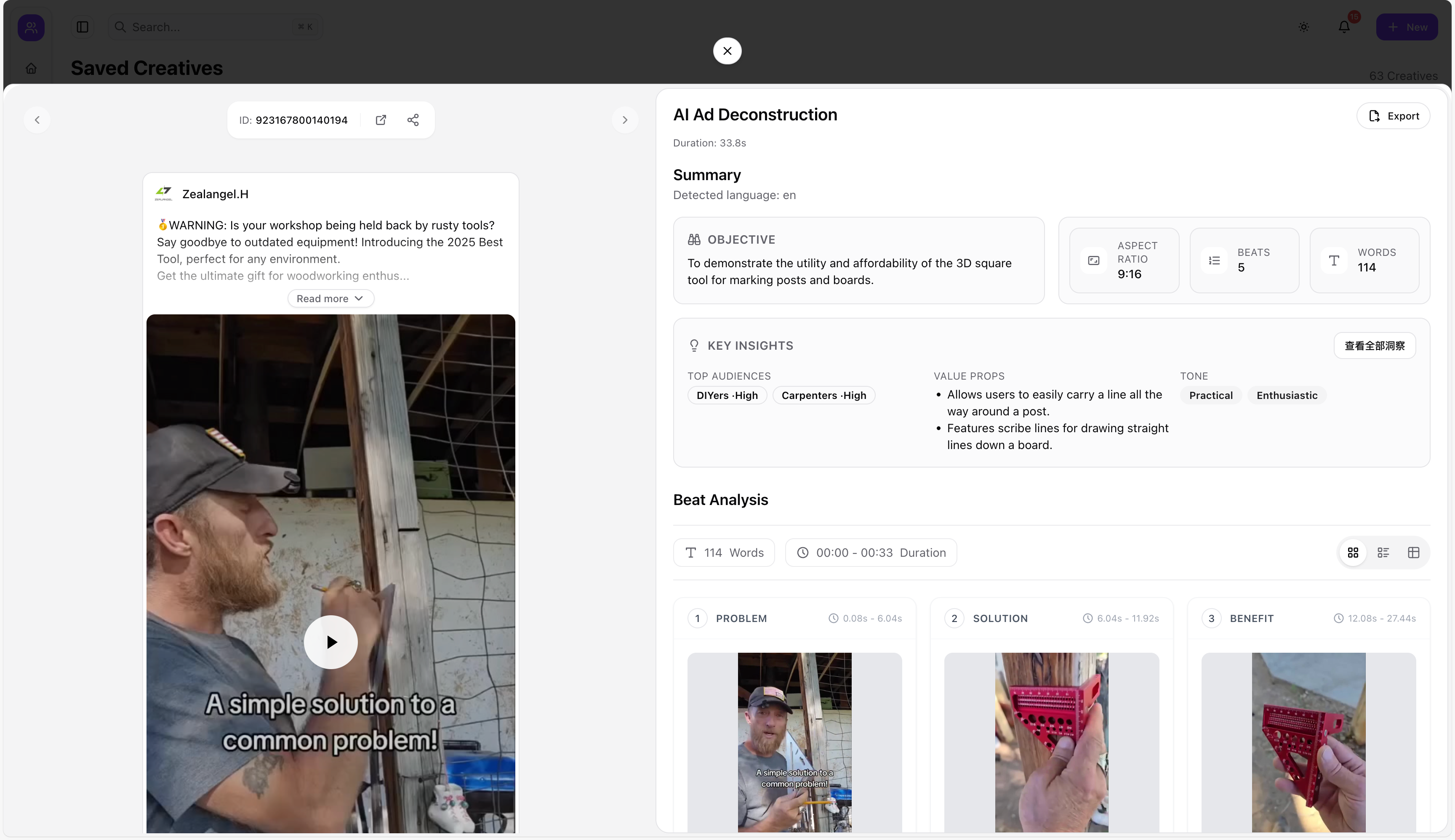
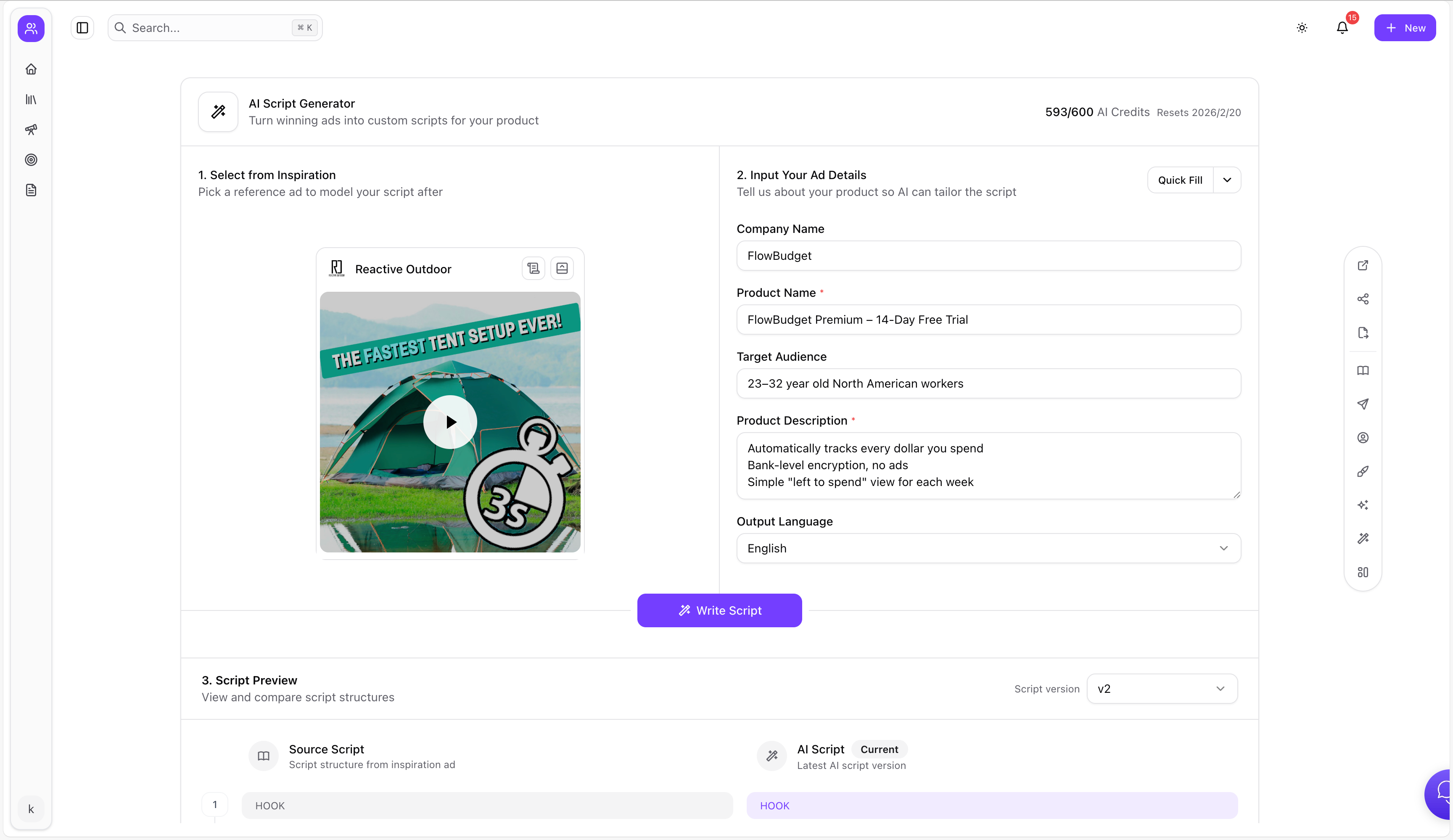
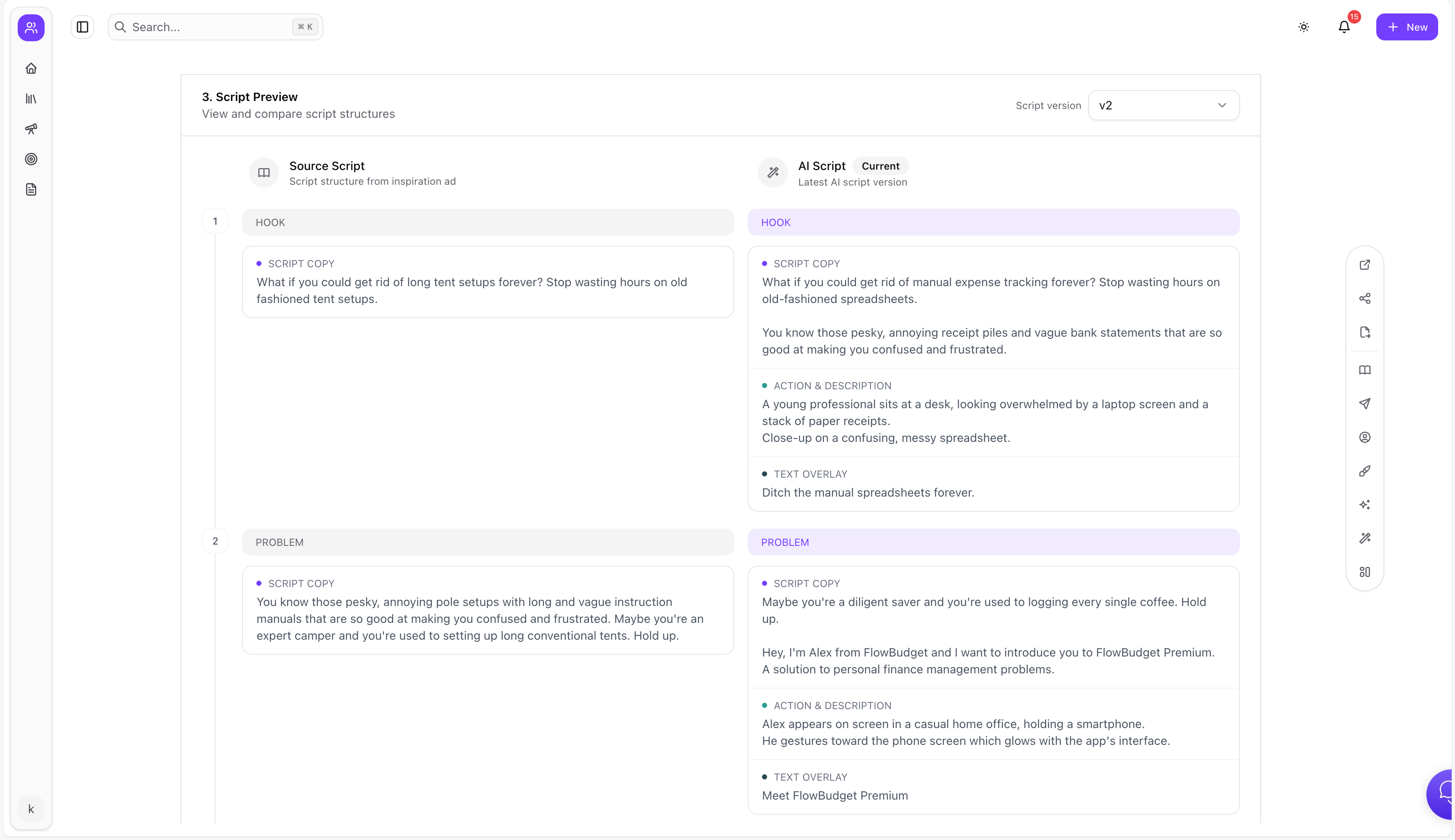
4) Break down winners and generate scripts (fast)
- Use AI Ad Breakdown Tool to deconstruct structure, copy strategy, visuals, and conversion logic.
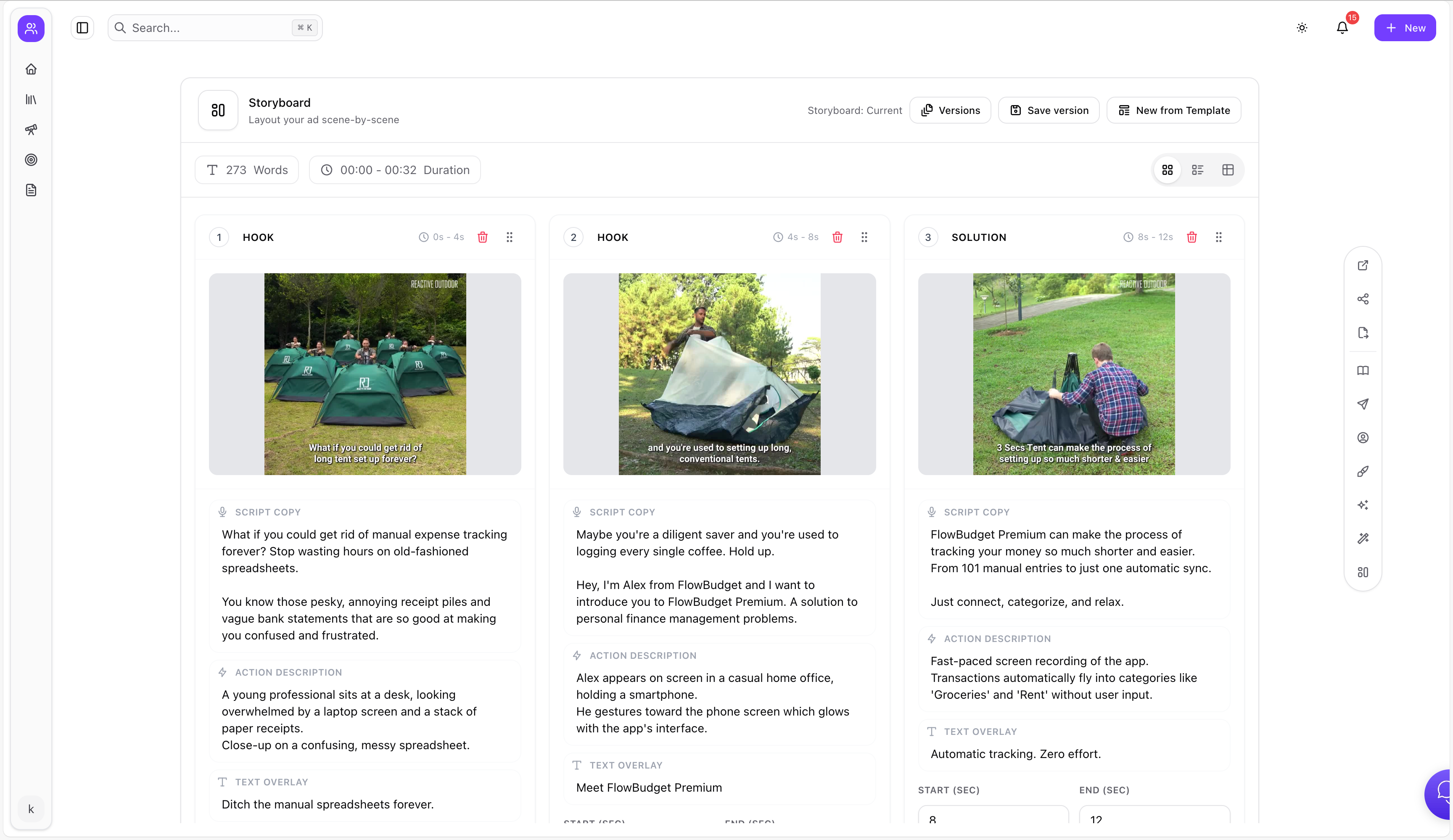
- Use AI Ad Script Generator to generate scripts tailored to your product from a reference ad link.
- Use Brief to turn scripts into production-ready storyboards and shot lists.
FAQ
Is TikTok Creative Center free?
Yes—Creative Center is publicly accessible and designed to help advertisers and creators discover trends and ad examples.
Is Top Ads the same as “all TikTok ads”?
No. Top Ads is a curated/filtered view for inspiration and learning. It’s best used to spot patterns, not as a complete archive.
How do I save TikTok ads so I can reuse them later?
Save them into a system that captures the creative and metadata, then organize them with folders/tags. Adlude Ad Saver + Swipe File is built for that.
How do I quickly extract hooks from TikTok ads?
Use transcription, then tag hooks and patterns in your swipe file. Adlude Discovery supports video transcription.
How do I avoid copying competitors?
Treat competitor ads as structure references (hook → proof → offer), then rewrite your claims using your brand voice, proof, and product reality.