
Meta Ads Library: How to Find, Save & Break Down Winning Ads (2026)
If you’re doing paid social creative, the Meta Ads Library is one of the fastest ways to see what brands are running right now across Meta’s platforms. It’s public, free, and built for ad transparency. For political and social issue ads, Meta also keeps an archive of ads that ran in the past (up to seven years, depending on category and context).
But there’s a catch: the Meta Ads Library is great for finding ads—less great for building a reusable system. Ads disappear when campaigns end, URLs break, and you’ll still spend time copying notes, saving screenshots, and rebuilding the same analysis every week.
This guide shows you:
- how to use the Meta Ads Library efficiently, and
- how to turn “found ads” into an end‑to‑end workflow (save → organize → analyze → script) with Adlude.
Key takeaways
- Use the Meta Ads Library to map a competitor’s creative strategy in minutes (not hours).
- Focus on patterns: hooks, angles, offers, formats, and landing pages—not individual ads.
- Don’t rely on screenshots. Build a swipe file you can search later.
- If you want speed: search cross‑platform (Meta + TikTok + Shorts + LinkedIn) and auto‑transcribe video ads for faster hook extraction.
- Turn research into output: generate scripts and storyboards from winning ads—without starting from a blank page.
What is the Meta Ads Library (and what it can’t do)?
The Meta Ads Library lets you search ads running across Meta technologies, and it also includes special transparency coverage for political / social issue ads (including historical ads in that category).
What it’s good for:
- Quickly seeing what creative a brand is running now (format, copy, CTA, variations).
- Building a shortlist of competitor messages, offers, and creative angles.
- Spotting trends (new formats, claims, hooks) in your niche.
What it won’t do well:
- Permanent saving & organization: you’ll still end up with scattered screenshots and bookmarks.
- Cross-platform comparison: Meta is only one channel; winning patterns often repeat across TikTok/Shorts/LinkedIn.
- Automated breakdown & reuse: the library doesn’t turn ads into structured learnings, briefs, or scripts.
That’s where a workflow tool helps.
Step-by-step: How to research competitors in Meta Ads Library
Goal: find repeatable patterns you can test—not “cool ads” you forget tomorrow.
Step 1) Start with the right search setup (region + category)
Open the Meta Ads Library and set:
- Country/region (where the competitor is advertising)
- Ad category (e.g., all ads; or political/social issues where applicable)
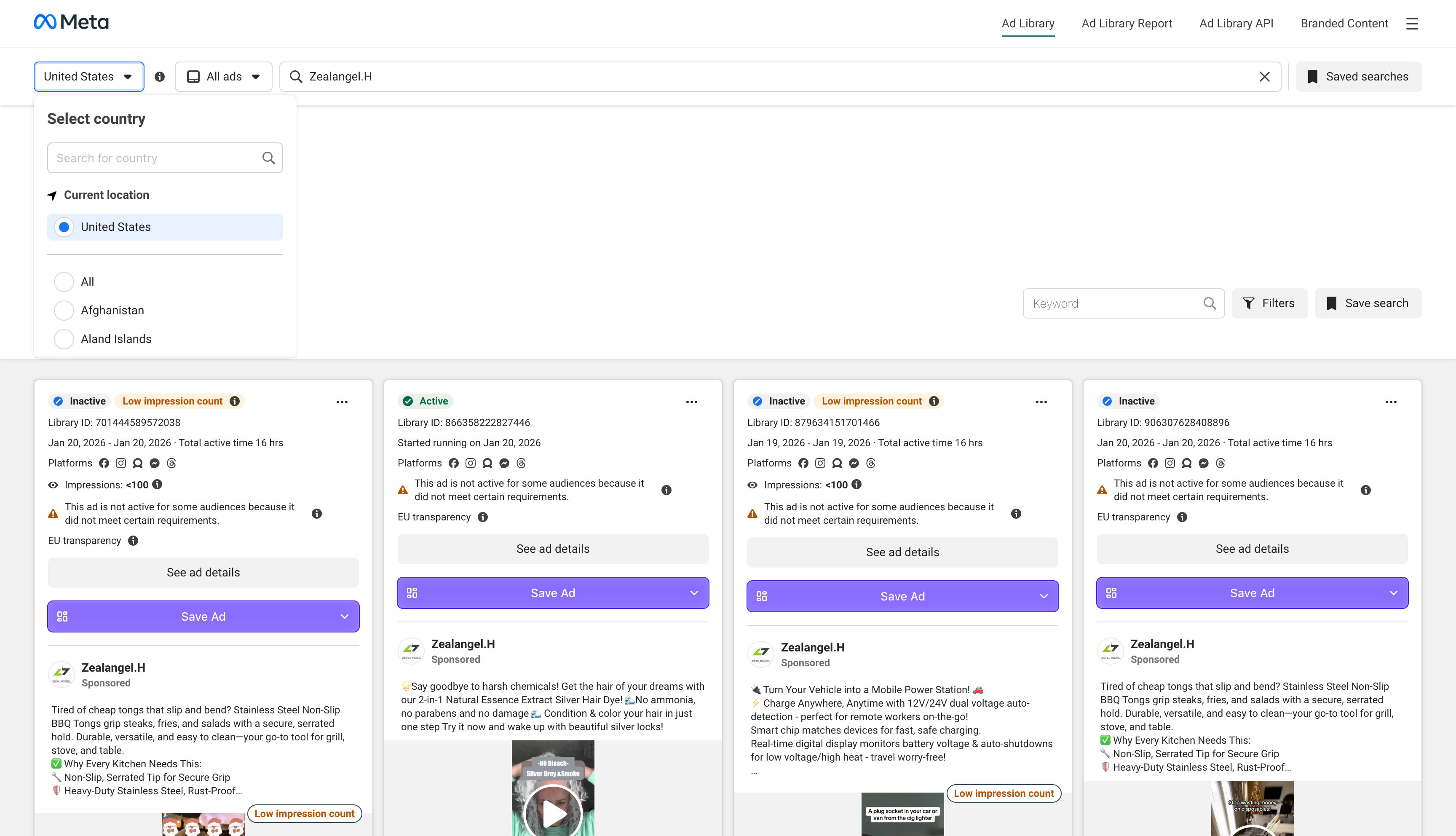
Pro tip: If you’re researching performance creative, start with all ads (not just political).
Step 2) Search by advertiser first (not by keyword)
For competitor research, brand/ad account searches are usually more reliable than generic keyword searches. Many advertisers run “evergreen” messaging that won’t show up with the exact keywords you expect.
Step 3) Snapshot the “creative mix”
Before you click into any ad:
- What formats dominate? (video vs image vs carousel)
- Do you see many variations of the same message?
- Are they running multiple offers simultaneously?
This tells you whether they’re in:
- rapid testing mode, or
- scaling mode (fewer concepts, more variants).
Step 4) Open 10–20 ads and extract the same fields each time
Don’t take random notes. Extract consistent fields so patterns emerge:
- Hook type (pattern break, benefit-first, pain-first, social proof, etc.)
- Angle (price, convenience, status, safety, speed, novelty…)
- Offer (discount, bundle, free trial, guarantee…)
- Proof (UGC, expert, stats, before/after…)
- CTA (shop now, learn more, get offer…)
- Visual structure (talking head, montage, product demo, captions, overlays…)
Step 5) Follow the click: capture landing page intent
The ad is only half the strategy. Always inspect the landing page:
- what promise repeats from the ad?
- what objection is resolved first?
- what’s the conversion mechanism (trial, quiz, bundle, booking)?
A simple “winning ad” analysis checklist
Use this checklist to turn “inspiration” into a hypothesis you can test next week:
- Audience: who is it talking to?
- Promise: what outcome is guaranteed or implied?
- Mechanism: why it works (reason to believe)?
- Offer: what do you get and at what terms?
- Format: what’s the best-performing container (UGC, demo, carousel)?
- Hook: what wins the first 1–2 seconds?
- CTA: what’s the next step?
Advanced tips: find strategy, not noise
Tip 1) Track “creative lifecycle,” not just new ads
A brand launching ads is not a signal. A brand keeping a concept alive is a signal.
Long-running concepts usually indicate either:
- it’s profitable, or
- it’s feeding a funnel that works.
Tip 2) Look for A/B tests hiding in plain sight
If you see:
- same creative with 3 different hooks
- same hook with 3 different offers
- same offer with multiple landing pages
…that’s their test plan. You can reverse-engineer it.
Tip 3) Build a “hook library” in your niche
Hooks are the fastest reusable unit. Collect 50 hooks in your category and you’ll never start from scratch.
Common problems and fixes
“No ads match your search criteria”
If the ad is no longer active, the Meta Ads Library may not show it in “all ads” results (especially for non-political categories). This is one reason swipe-file tools exist: to save creatives before they disappear.
“I can’t compare across platforms”
That’s normal—Meta is one dataset. If your team runs TikTok + Meta + Shorts, you’ll want a cross‑platform research layer.
Use Adlude to do it faster
Here’s the workflow that replaces “random browsing” with a repeatable system:
1) Find better inspiration faster (not just Meta)
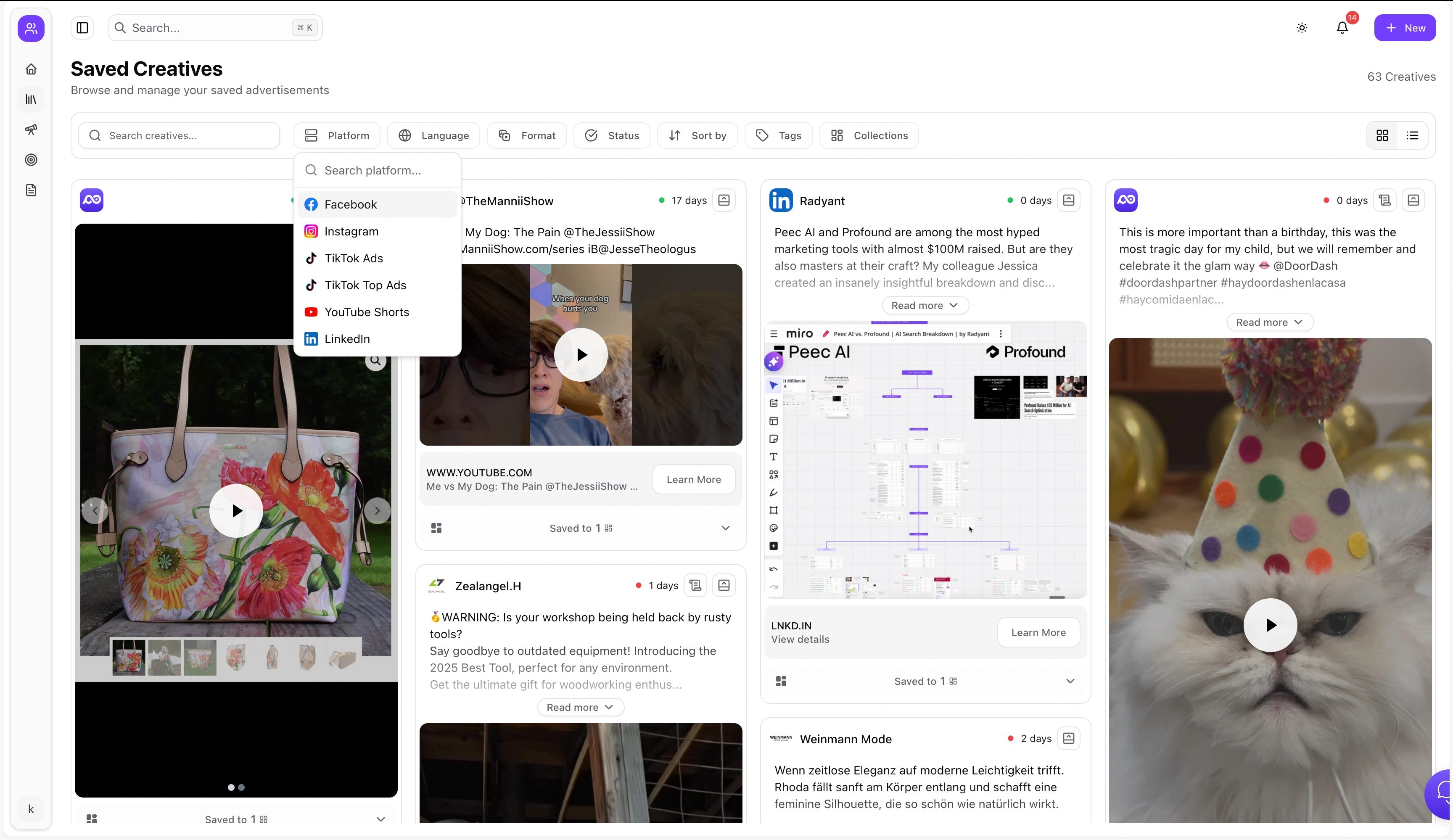
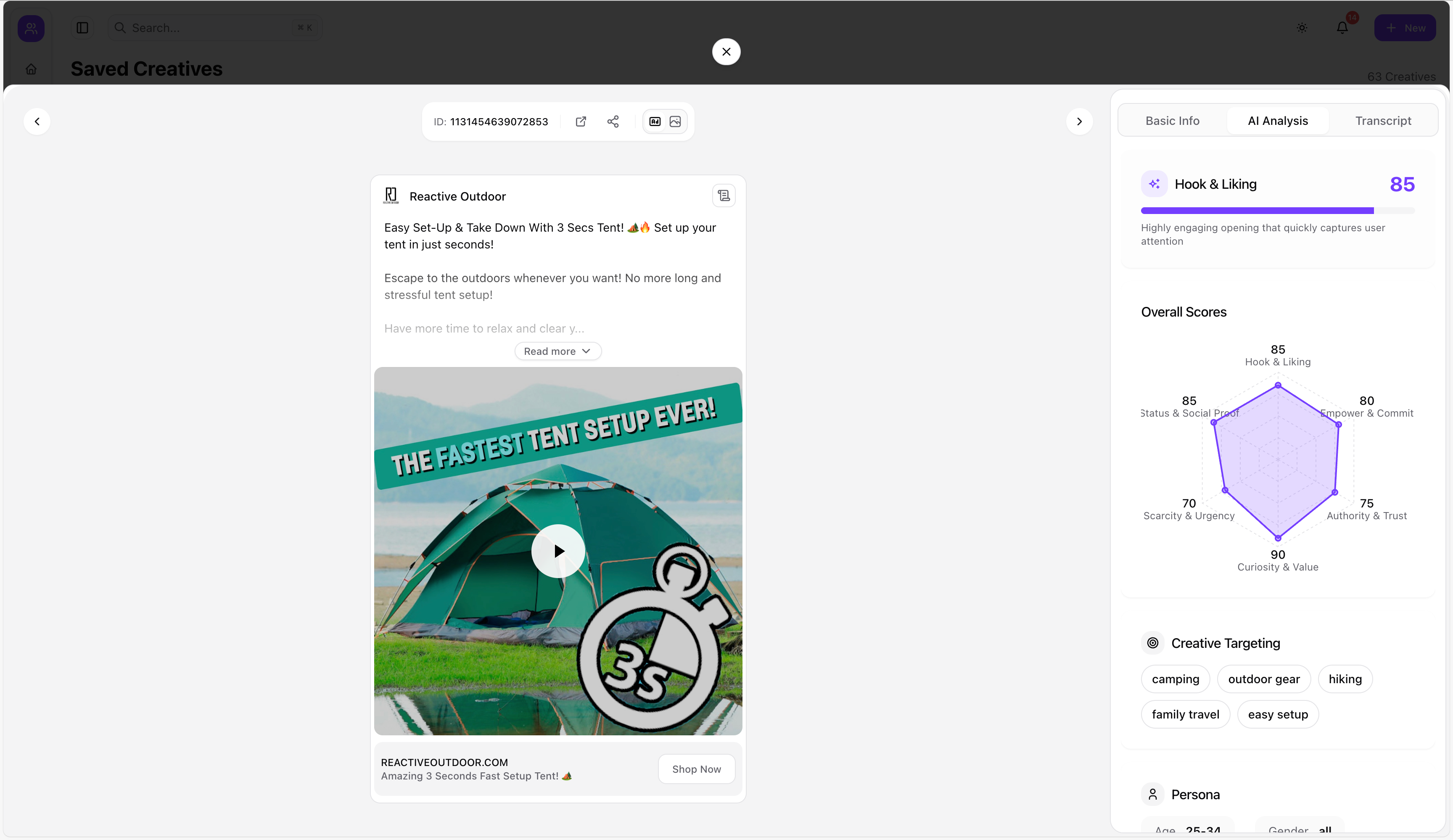
Use Adlude Discovery to browse ads from Facebook, TikTok, YouTube Shorts and more in one place—then filter by keyword, platform, language, format, and industry. It also supports AI scoring and video transcription so you can extract hooks faster.
2) Save the full asset (creative + copy + URL) with one click
Use Adlude Ad Saver (Chrome/Edge) to save creatives from multiple platforms with one click—stored permanently in the cloud.
3) Organize into a swipe file you’ll actually use
In Adlude Swipe File, you can search saved ads by keyword, organize with nested folders, add smart tags, and run AI ad breakdown to understand structure + hook + conversion logic.
4) Break down winners and turn them into scripts
- Use AI Ad Breakdown Tool to deconstruct an ad’s structure, copy strategy, and visuals.
- Use AI Ad Script Generator to generate scripts tailored to your product, using a reference ad link + your product inputs.
- Use Brief to link inspirations and turn scripts into production-ready storyboards, with export options.
FAQ
Is the Meta Ads Library free?
Yes—Meta provides it as a public transparency tool.
Can I see how much competitors spend?
The library is mainly creative/transparency-focused; spend visibility depends on category and region (especially for political/social issue ads).
How do I save ads so they don’t disappear later?
Use a system that saves the creative + copy + URL and stores it in a swipe file. Adlude Ad Saver + Swipe File is designed for exactly that.
How do I extract hooks from video ads quickly?
Use transcription (turn video into text), then tag/organize hooks in your swipe file. Adlude Discovery includes video transcription.
What’s the fastest way to turn research into new creatives?
Break down winners into structure + hook + offer, then generate scripts and storyboards. Adlude’s AI Breakdown + Script Generator + Brief workflow is built for that.
Can I share my findings with teammates or clients?
A good swipe file should support controlled sharing (password/expiry/download controls). Adlude Swipe File includes controlled sharing.