

Save Ads from Meta Ads Library to a Swipe File (So You Can Actually Reuse Them)
Introduction
Most teams don’t have an “inspiration problem.” They have a retrieval problem.
You find 10 great Meta Ads Library examples, screenshot a few, copy a couple links, and tell yourself you’ll use them later… then launch your next campaign from scratch anyway.
A swipe file fixes that—but only if it’s searchable and structured.
This guide shows a practical, lightweight workflow to save ads from Meta Ads Library into a swipe file so your team can find, compare, and reuse patterns (hooks, angles, offers) fast.
Key takeaways
- Save the full context (creative + copy + landing page) — not just a screenshot.
- Use a simple taxonomy: folders for “where it belongs,” tags for “why it works.”
- Your swipe file should feed a weekly “testing backlog,” not become a graveyard.
1) What belongs in a Meta Ads Library swipe file
A swipe file is valuable when it helps you answer questions like:
- “What hooks are winning in our category right now?”
- “Which offers repeat across competitors?”
- “What visual structures keep showing up?”
So you want to save more than “the video.” Capture at least:
- Creative asset (video/image/carousel)
- Primary text + headline (copy matters)
- CTA style (Shop Now vs Learn More vs Get Offer)
- Landing page URL (funnel insight)
- Your note (why it’s interesting)
2) A simple swipe file structure that scales
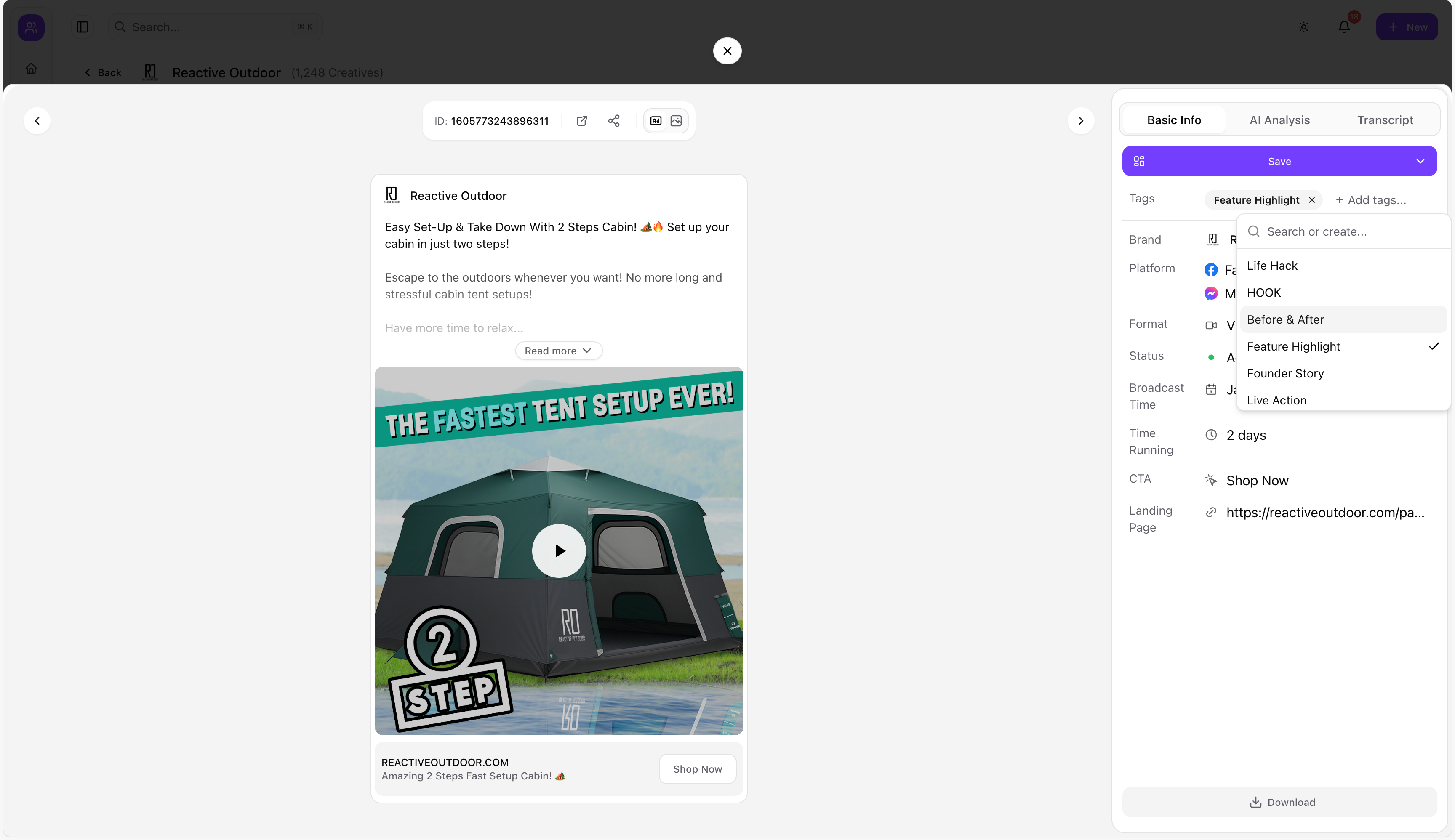
Avoid over-engineering. Start with two layers:
Layer A: Folders (where it belongs)
Use folders for stable categories, like:
- Platform → Meta / TikTok / LinkedIn / YouTube Shorts
- Brand → Competitor A / Competitor B
- Funnel stage → Prospecting / Retargeting
- Campaign type → Lead gen / Ecommerce / App install
Layer B: Tags (why it works)
Tags should capture patterns, not labels:
- Hook: “Problem-first”, “Demo-first”, “Pattern interrupt”
- Angle: “Speed”, “Price”, “Authority”, “Social proof”
- Offer: “Free trial”, “Bundle”, “Discount”, “Guarantee”
- Format: “UGC”, “Founder-led”, “Carousel”, “Before/After”
If you only add 2–4 tags per ad, you’ll actually keep tagging.
3) Step-by-step: Save Meta Ads Library ads into Adlude Swipe File
Adlude Swipe File is designed for performance marketers and creative teams who want a searchable inspiration library (instead of scattered screenshots).
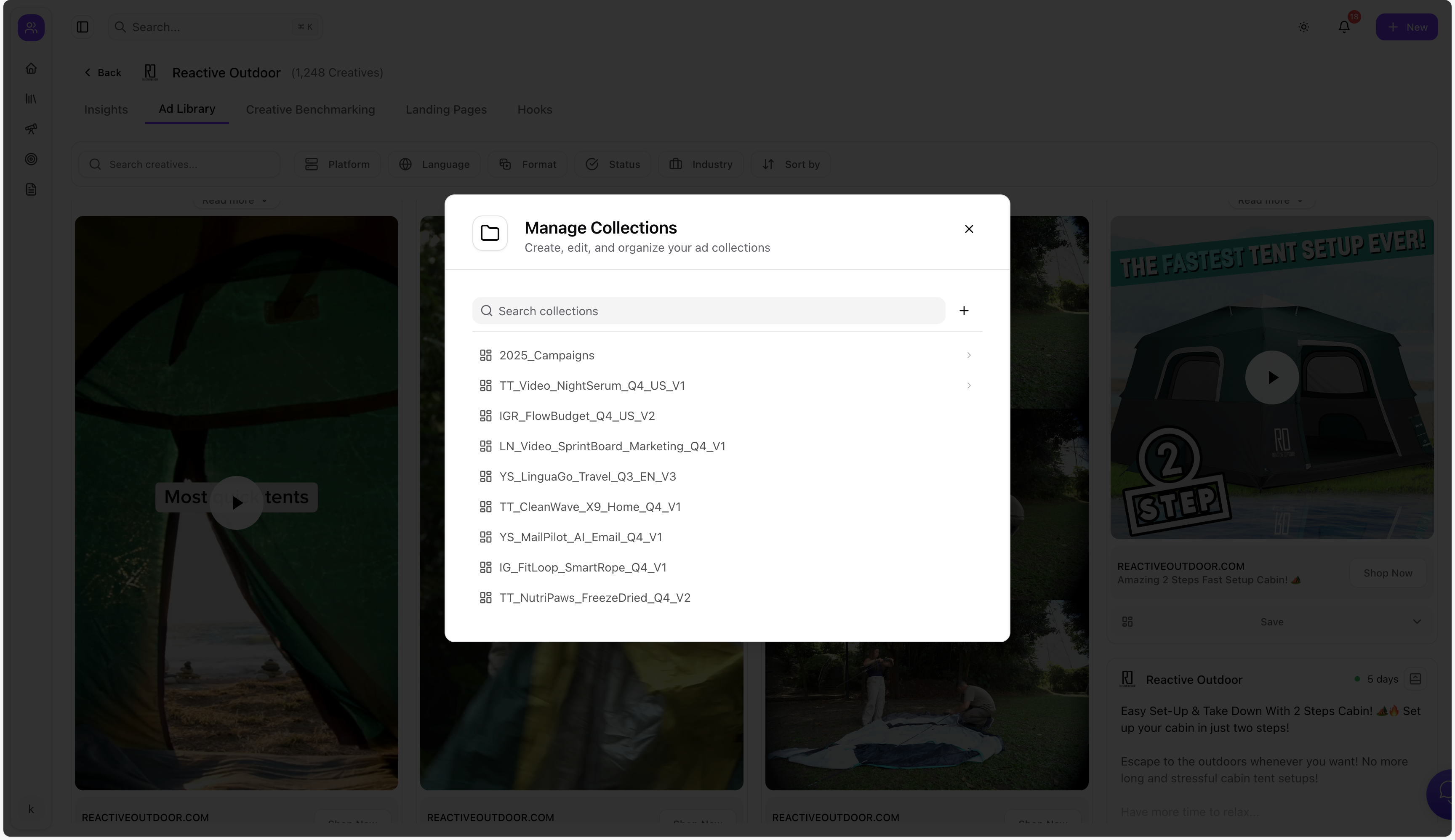
Step 1 — Create a “Meta Ads Library” folder system
Start with a small system you can keep consistent:
Meta → Competitors → HooksMeta → Offers → BundlesMeta → Formats → UGC
Step 2 — Save the ad (creative + copy + URL)
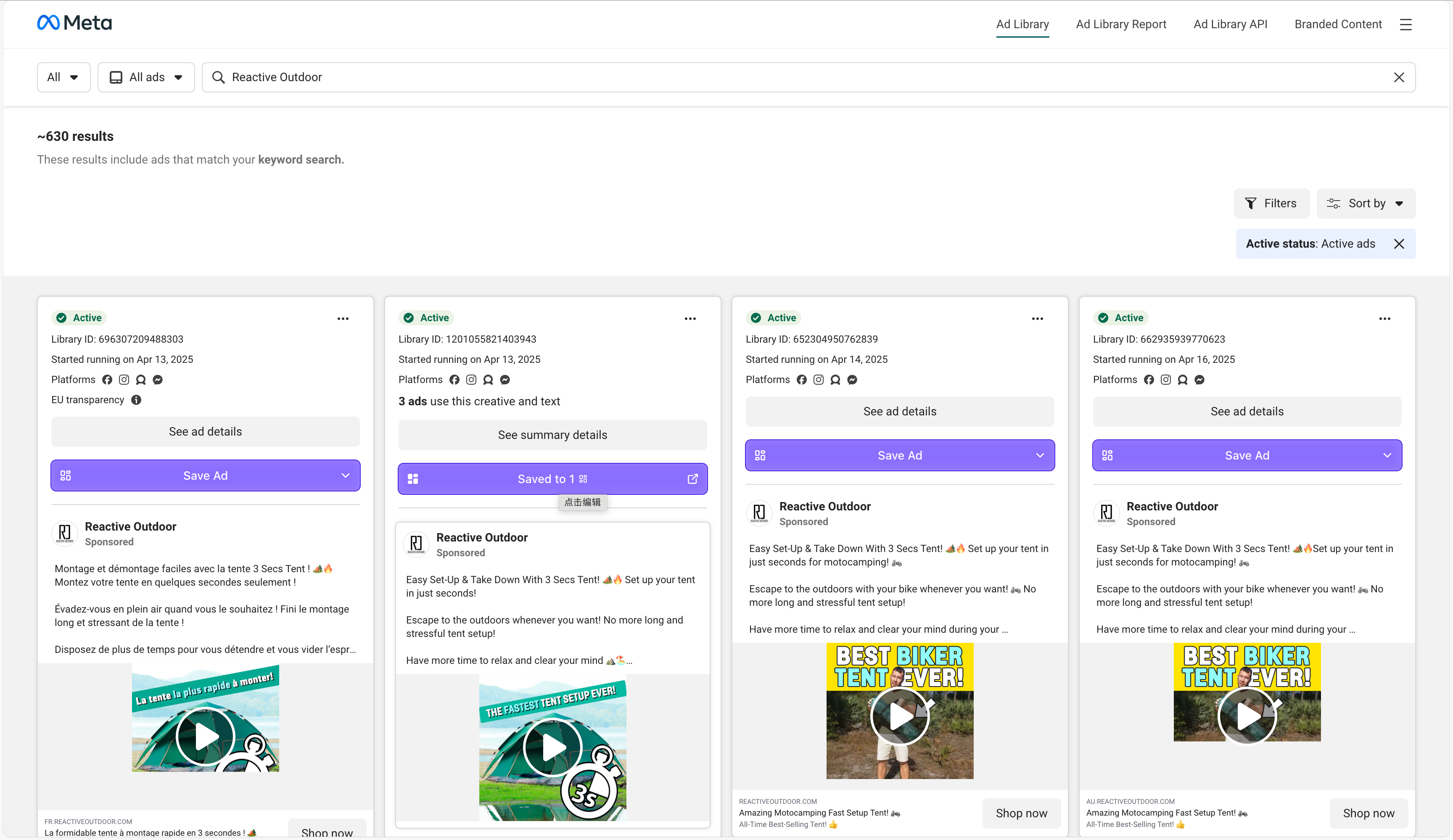
From Meta Ads Library in your browser, save the ad into your swipe file so you keep:
- the creative
- the copy
- and the destination URL
Step 3 — Add tags + a one-sentence note
Use tags to make the ad searchable across campaigns. Then add a note like:
- “Strong hook: problem → demo in first 2 seconds”
- “Offer angle: bundle + urgency”
- “Landing page matches claim exactly”
Step 4 — Use search when you need ideas (not when you’re “organizing”)
The swipe file is useful when you can search:
- “UGC + free trial + problem-first”
- “before/after + skincare + testimonial”
That’s the moment you stop “saving and forgetting.”
4) Turn saved ads into testable hypotheses (the real goal)
A swipe file shouldn’t be a museum. It should be a testing backlog.
Here’s a weekly 30-minute routine:
-
Save 10 new ads from competitors
-
Tag them consistently
-
Pick 3 recurring patterns
-
Turn each into a test hypothesis:
- “If we open with the demo in the first 2 seconds, CTR increases.”
- “If we lead with social proof + offer, conversion rate improves.”
5) Common mistakes
- Saving without tags (you’ll never find them)
- Too many folders (you’ll stop filing)
- Only saving “pretty” ads (save what repeats, not what impresses)
- No review ritual (a swipe file needs a weekly loop)
FAQ
Is Meta Ads Library enough without a swipe file?
Meta Ads Library is a discovery tool. A swipe file is a reuse tool. You need both if you want your research to compound.
What’s the best swipe file format—Notion, Drive, or a tool?
The best one is searchable, fast to save into, and doesn’t depend on manual screenshots.
Closing
If you want your Meta Ads Library research to compound over time, start building a searchable library with Adlude Swipe File.