

How to Build an Ad Swipe File That Actually Gets Used (2026 System)
Most swipe files fail for one reason: they become a graveyard.
People save great ads… and never find them again.
A swipe file that gets used is not a folder of screenshots. It’s a system:
- consistent capture,
- predictable organization,
- fast retrieval, and
- a direct path to output (briefs, scripts, storyboards).
This guide gives you a proven setup—and shows how Adlude turns it into an end-to-end workflow.
Key takeaways
- Your swipe file needs one job: help you ship winning tests faster.
- Organize by how you reuse ideas (hooks/angles/offers/formats), not by random folders.
- Build a retrieval habit (weekly review) or it dies.
- Use AI breakdown + transcription to turn saved ads into structured learnings.
- Connect the swipe file to production (brief → script → storyboard).
Why most swipe files fail
Here’s what “save and forget” looks like:
- screenshots in Slack
- random bookmarks
- a Notion page with 300 links
- no consistent naming
- no tags
- no weekly review
The result: you start from scratch every time.
The swipe file system (4 layers)
A swipe file that compounds has four layers:
- Capture: save creatives with metadata (platform, brand, date, URL).
- Organize: folders and tags that match how you think.
- Understand: breakdown the structure (hook/angle/offer/proof).
- Reuse: turn insights into briefs, scripts, and storyboards.
Adlude covers all four:
- One‑click saving (Ad Saver)
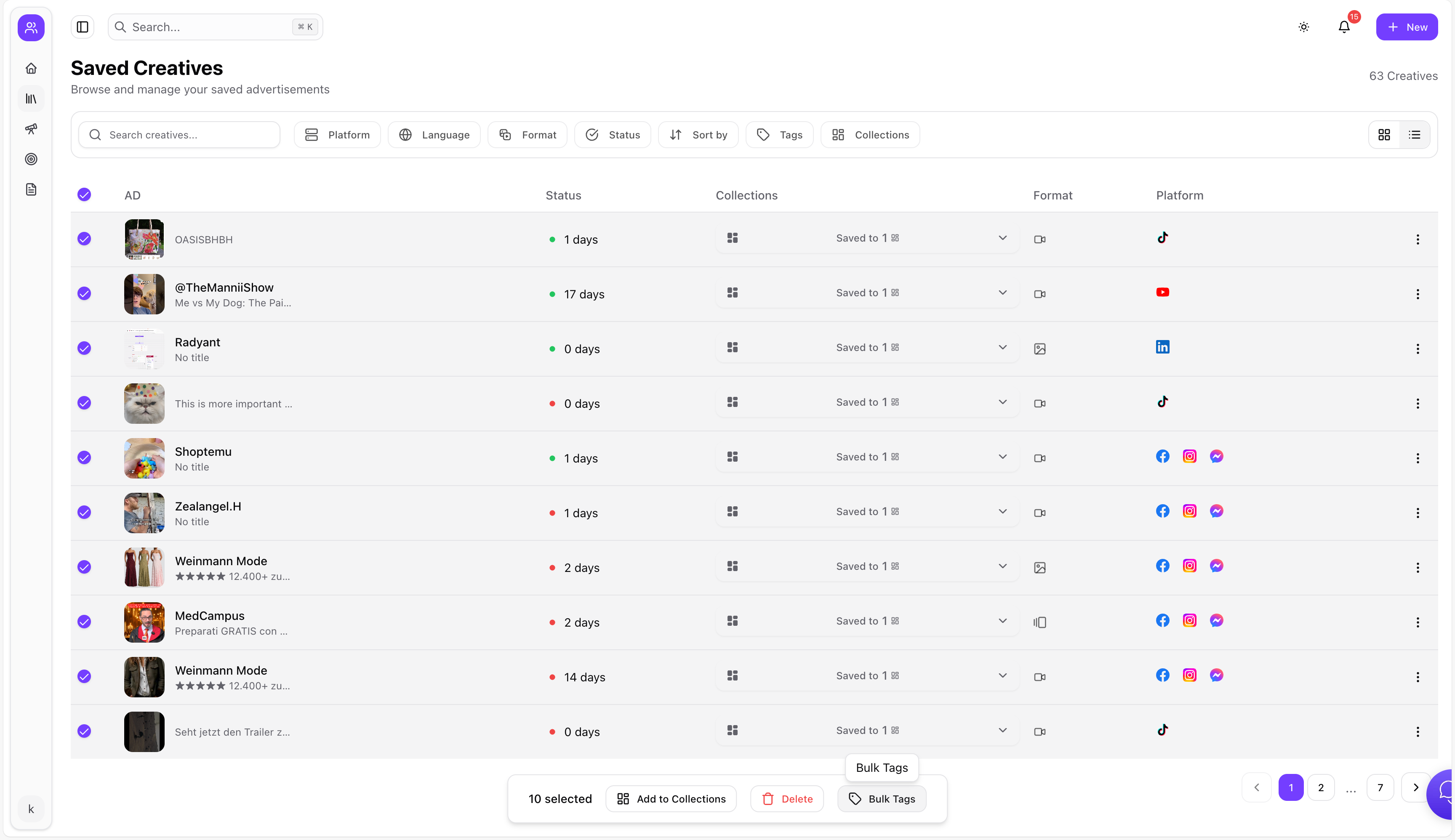
- Searchable swipe file with nested folders + smart tags
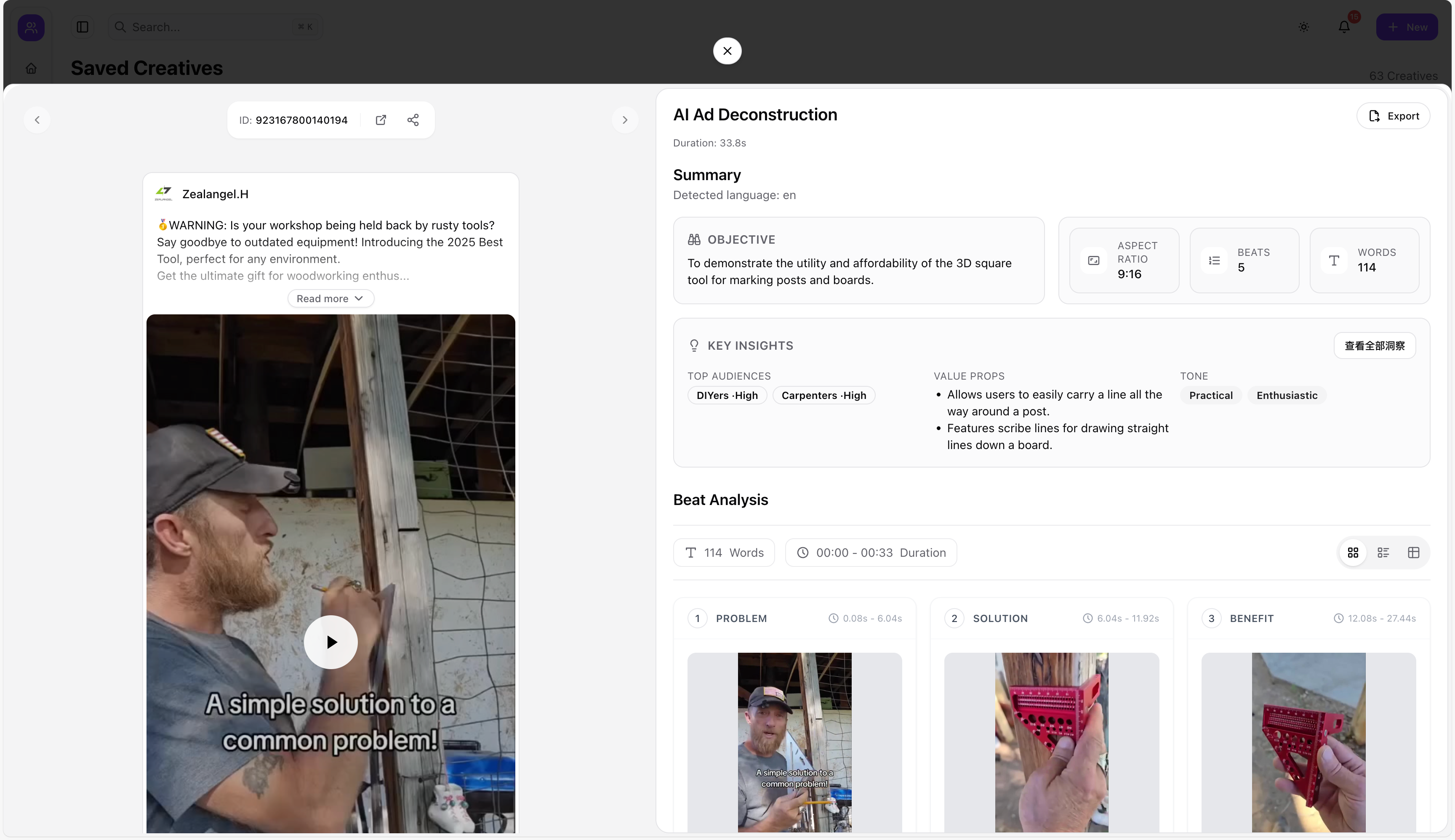
- AI breakdown inside the library
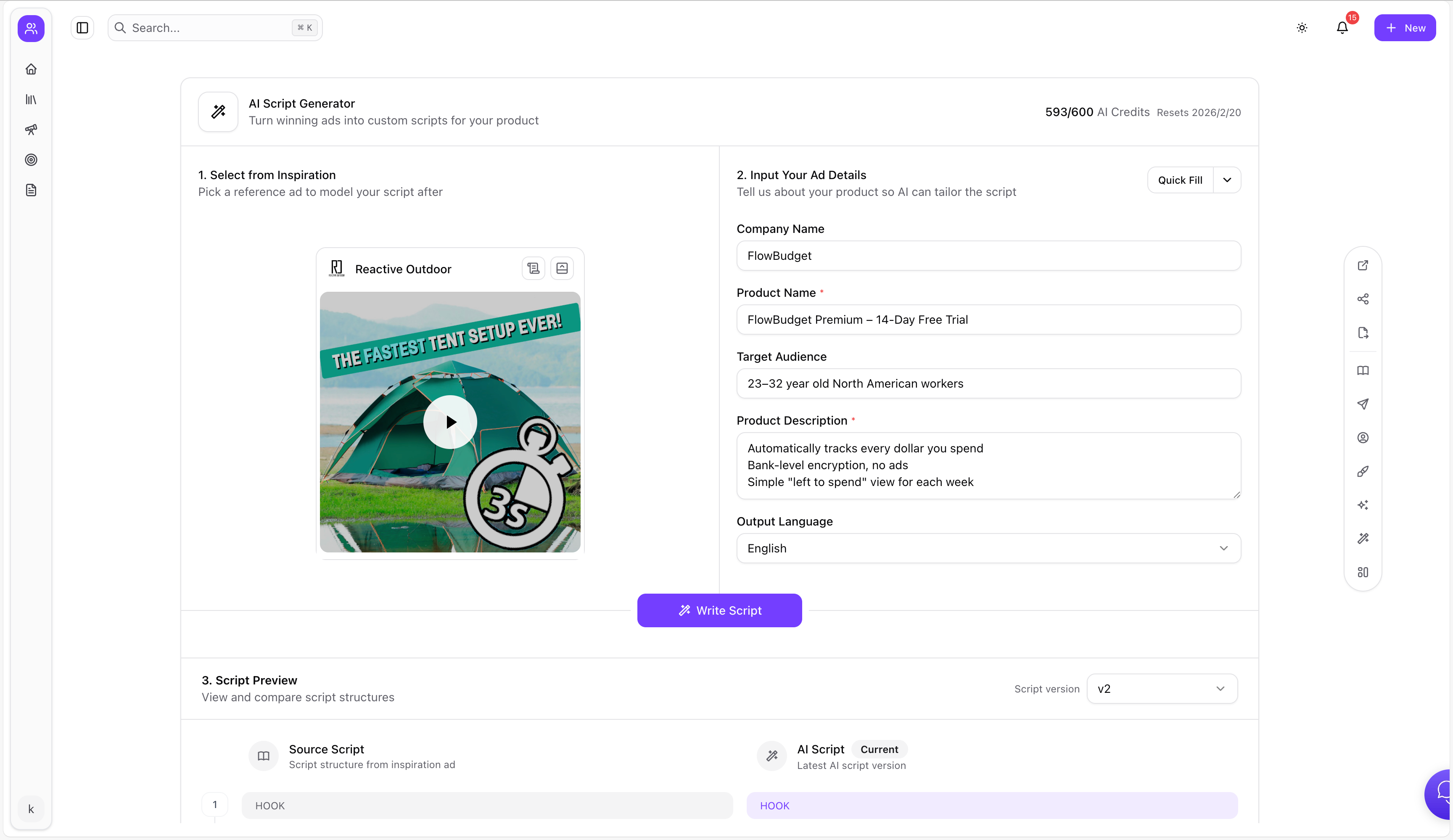
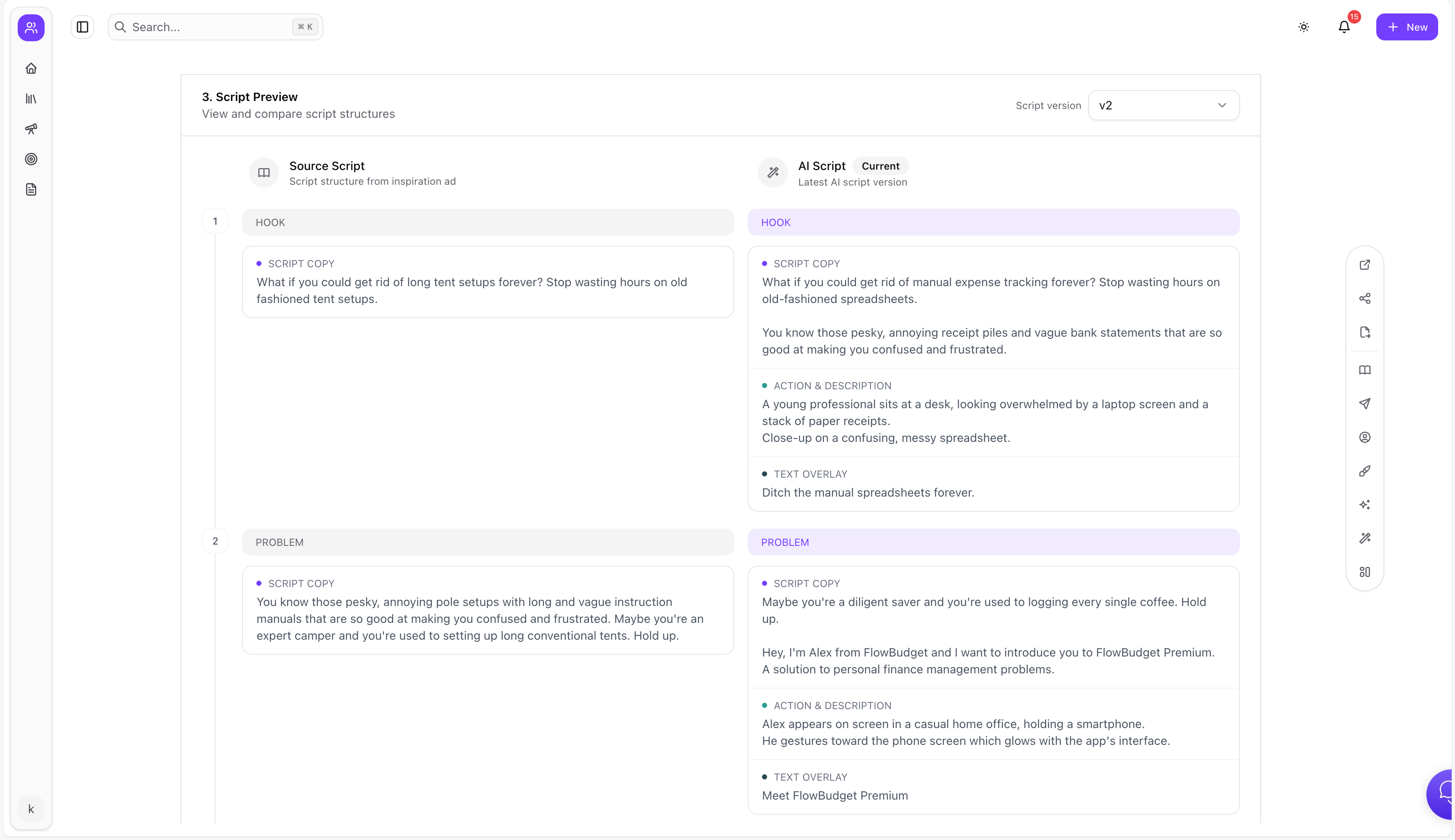
- Brief + script generator for production
Step-by-step: Build your swipe file taxonomy
Step 1) Pick one primary organizing axis
Choose the axis that matches how your team plans tests:
Option A: by funnel stage
- TOF hooks
- MOF proof
- BOF offers
Option B: by angle
- price
- convenience
- status
- safety
- speed
- novelty
Option C: by format
- UGC talking head
- product demo
- montage
- comparison
- carousel
If you choose everything, you’ll use nothing.
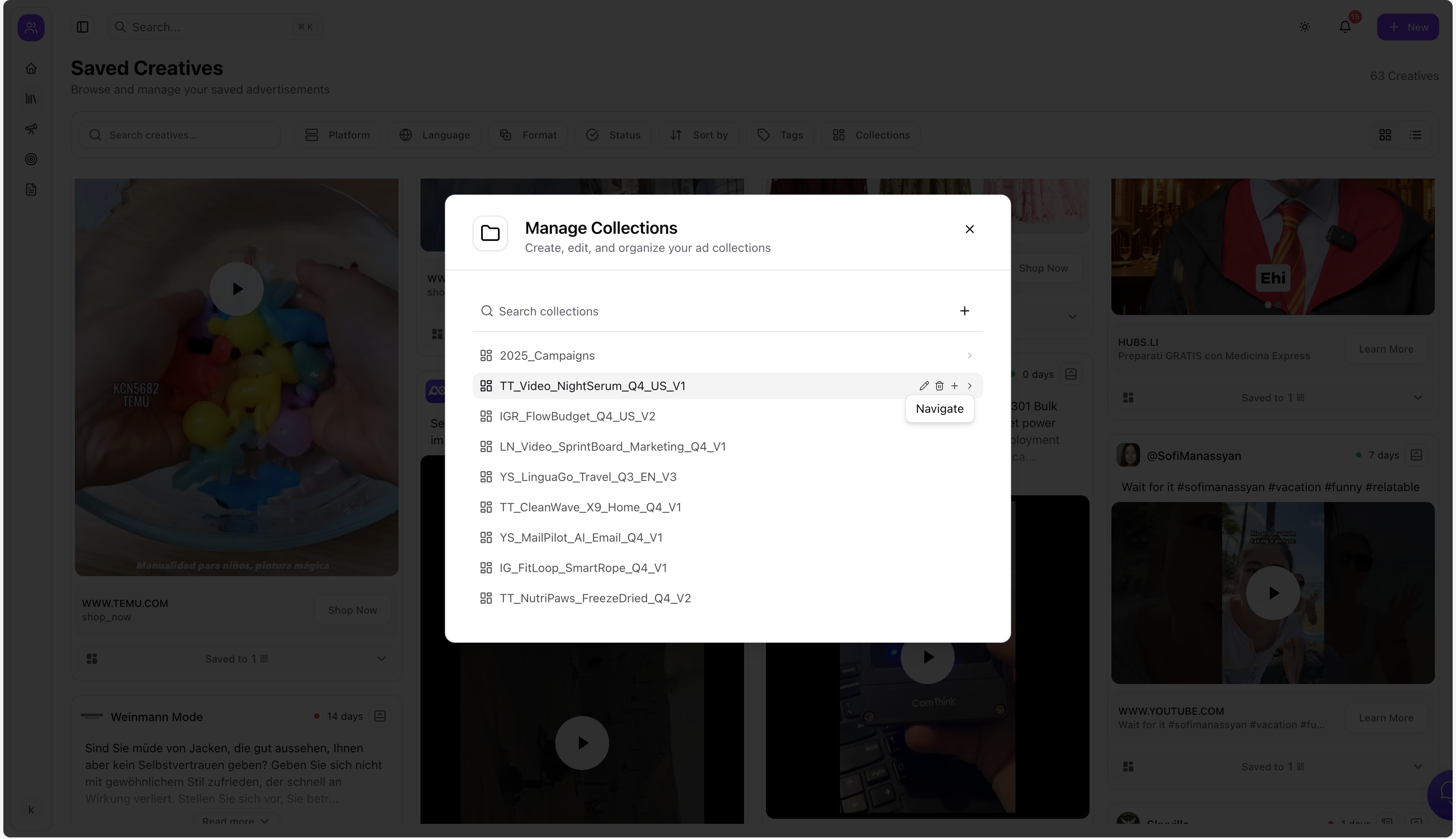
Step 2) Create nested folders (projects → campaigns → angles)
Nested folders work when you keep the top level small:
- Swipe File
- Brand / Client A
- Product Line 1
- Angles
- Hooks
- Offers
- Competitors
- Product Line 1
- Brand / Client B
- Personal Inspiration
- Brand / Client A
Adlude supports multi-level folder archives (nested folders).
Step 3) Decide your “save rule” (what qualifies)
A simple rule prevents noise:
Save only if the ad has at least ONE:
- a new hook pattern
- a strong offer
- a new proof asset
- a format you want to test
Tagging: the minimum viable system
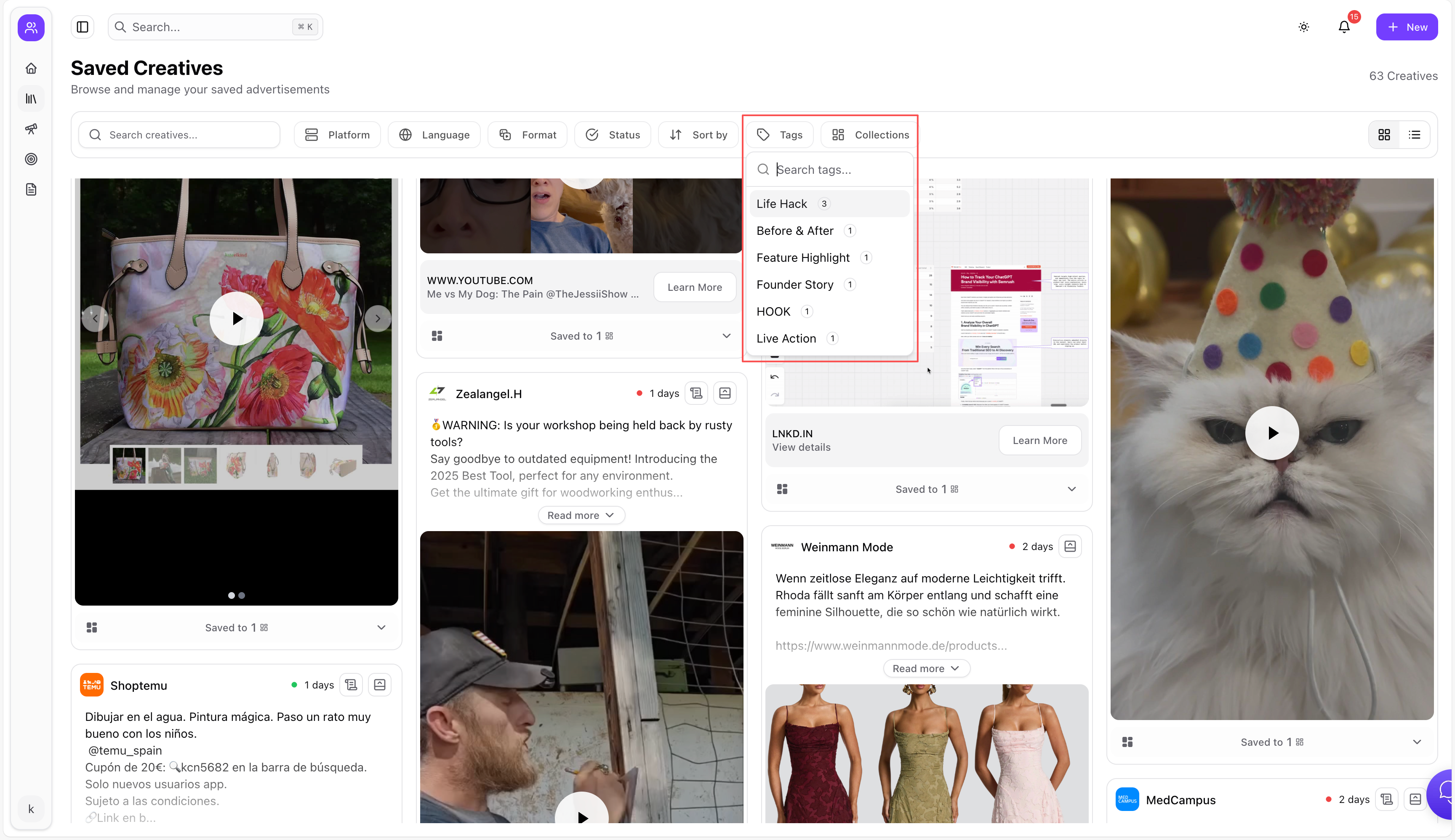
Tags should explain why you saved it.
Minimum viable tag set (start here)
- Hook type (benefit-first / pain-first / curiosity / shock)
- Angle (price / convenience / speed / safety / status)
- Offer (discount / bundle / trial / guarantee)
- Proof (UGC / expert / stats / before-after)
- Format (UGC / demo / montage / carousel)
Adlude supports custom tags + combined filters (smart tag system).
Weekly routine: keep it alive
A swipe file is a habit.
The 30-minute weekly routine
- Add 10–20 new ads (only qualified ones).
- Tag them quickly (batch actions help).
- Pick 3 winners to “promote” into your test backlog.
- Write one hypothesis each (hook + angle + offer).
- Link the 3 winners to next week’s creative brief.
Use Adlude to run the system
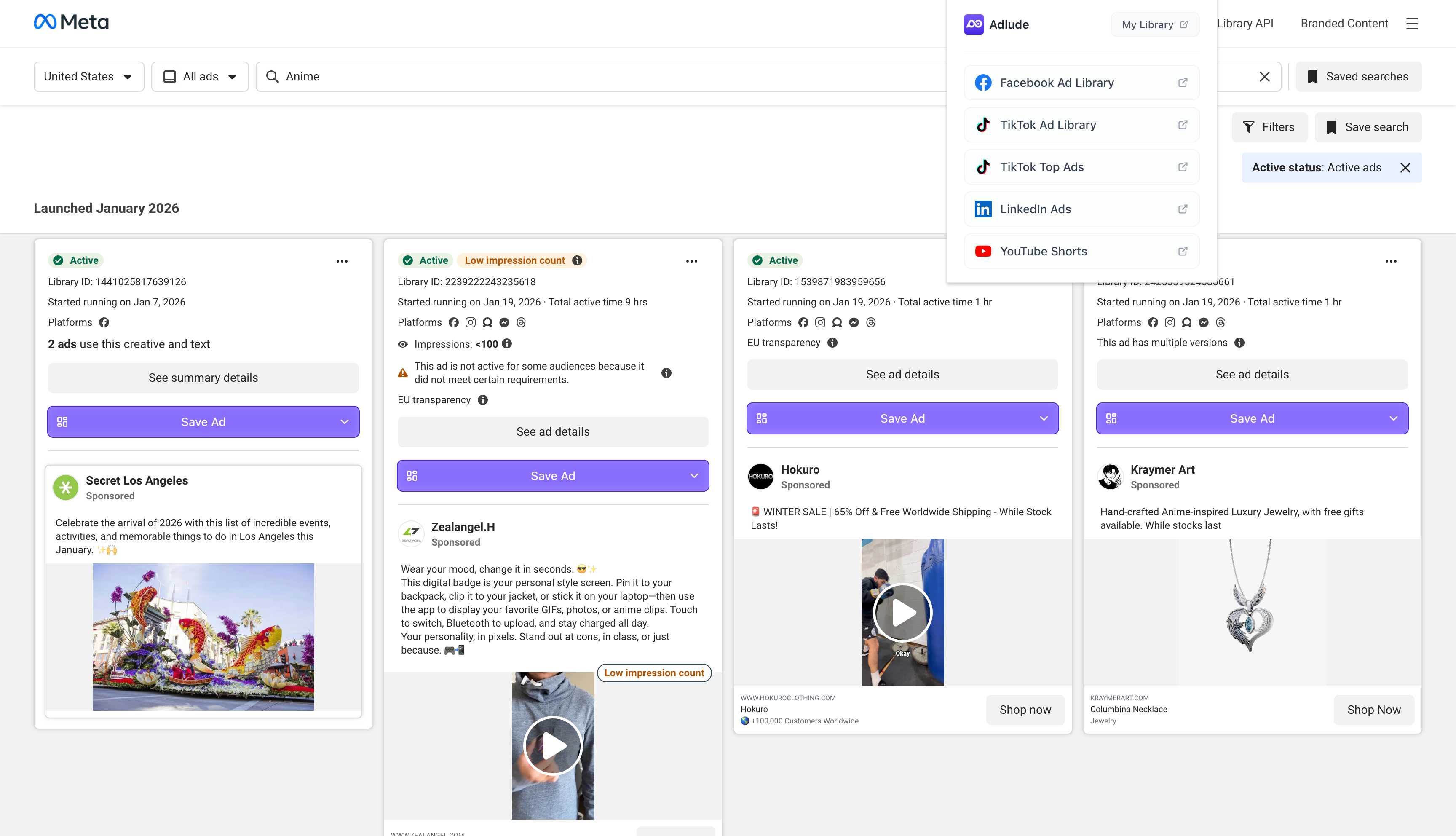
1) Capture: save ads in one click
Adlude Ad Saver captures creatives from multiple platforms and stores them in the cloud.
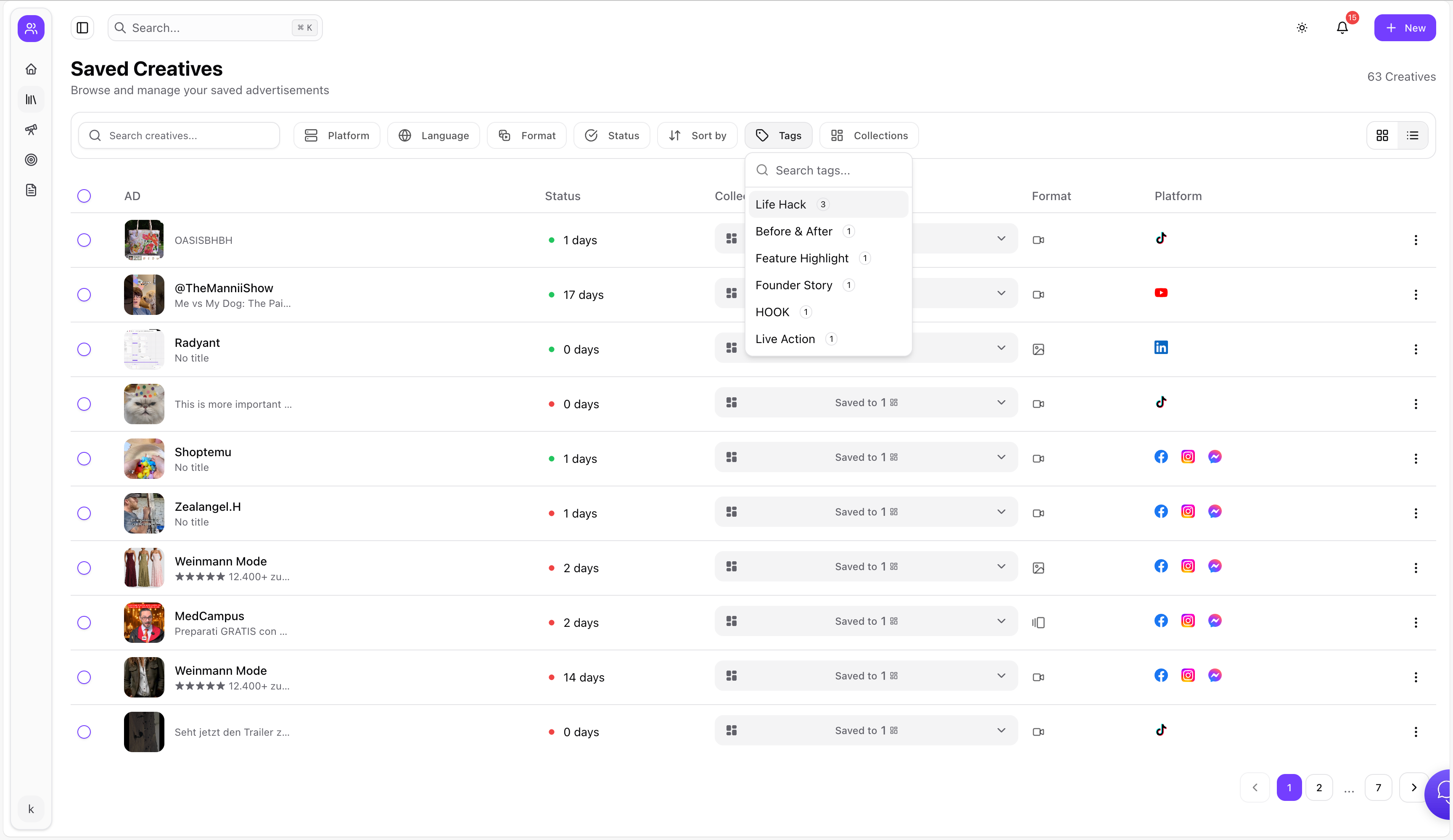
2) Organize: folders + tags + search
Adlude Swipe File is searchable, supports nested folders, smart tags, batch operations, and controlled sharing.
3) Understand: AI breakdown inside your library
AI deconstructs creative structure, copy strategy, hook techniques, and conversion logic.
4) Reuse: briefs, scripts, storyboards
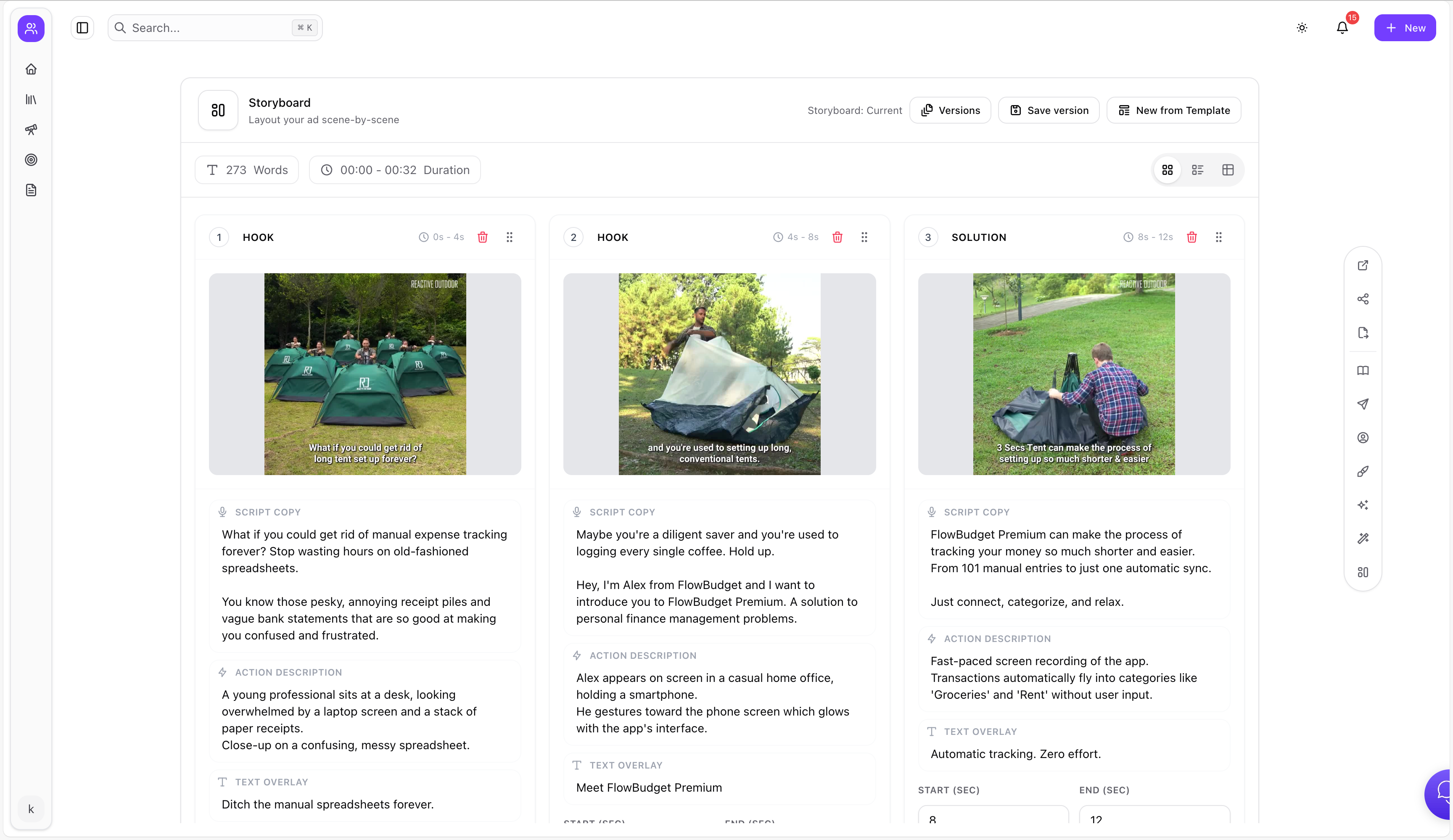
Use Adlude Brief to link inspiration ads, generate scripts, and turn them into production-ready storyboards, with export options.
FAQ
What’s the difference between an ad library and a swipe file?
An ad library helps you discover ads. A swipe file helps you reuse them—search, organize, annotate, and connect them to production.
How many ads should I save per week?
Enough to feed testing, not enough to create noise. Most teams start with 10–20 qualified ads/week and refine.
How do I stop the swipe file from becoming cluttered?
Use a save rule, keep tags minimal, and run weekly curation with batch operations.
Can I share swipe files with teammates or clients?
Controlled sharing links with access controls are ideal for collaboration.
How do I turn saved ads into new creatives?
Break down the hook/angle/offer, then generate new scripts and build storyboards.